

480Hz Monitors: Are They Worth It?
A 480Hz gaming monitor is a serious investment that demands a powerful PC. It carries a significant price premium over 144Hz or 240Hz displays, with steep hardware requirements. However, the payoff can be substantial for competitive players.
The jump from 60fps to 144fps is noticeable. Moving to 480Hz offers another level of smoothness, minimizing motion blur. One reviewer noted seeing details previously imperceptible and reacting faster.
This upgrade is most beneficial for competitive esports players in fast-paced titles like Counter-Strike 2, Valorant, and Overwatch 2. For those aiming for peak performance where fractions of a second matter, a 480Hz monitor offers a clear advantage. The impact may be less significant for the average gamer, though still appreciated.
The LG 27GX790A-B, a 27-inch OLED with a native 480Hz refresh rate, is an example of current offerings. Stock and pricing can fluctuate. Best Buy has an 'Ultimate Upgrade Sale' with limited quantities.
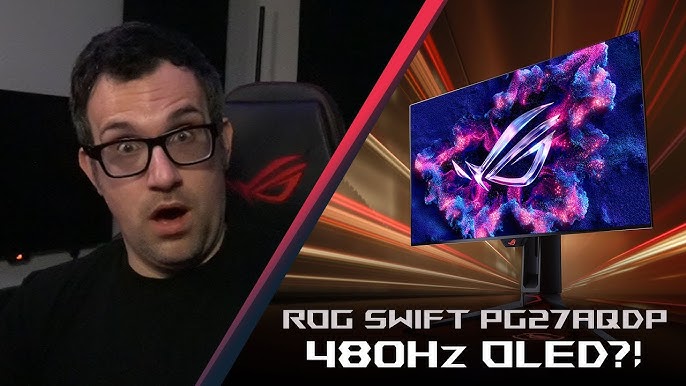
The Tech Behind the Speed
Refresh rate, measured in Hertz (Hz), is how many times per second a monitor updates its image. A 60Hz monitor updates 60 times per second, 144Hz does it 144 times, and 480Hz does it 480 times. Higher refresh rates result in smoother motion and less blur. However, refresh rate isn't the only factor.
Response time, the duration for a pixel to change color, is also critical. Slow response times cause ghosting or smearing, even with a high refresh rate. Aim for 1ms or less for fast-paced gaming. A high refresh rate is ineffective if the response time cannot keep up.
Panel type significantly impacts performance. TN (Twisted Nematic) panels traditionally led the high-refresh-rate market due to their fast response times and affordability, but often had poor color accuracy and viewing angles. IPS (In-Plane Switching) panels provided better color and viewing angles but were historically slower than TN.
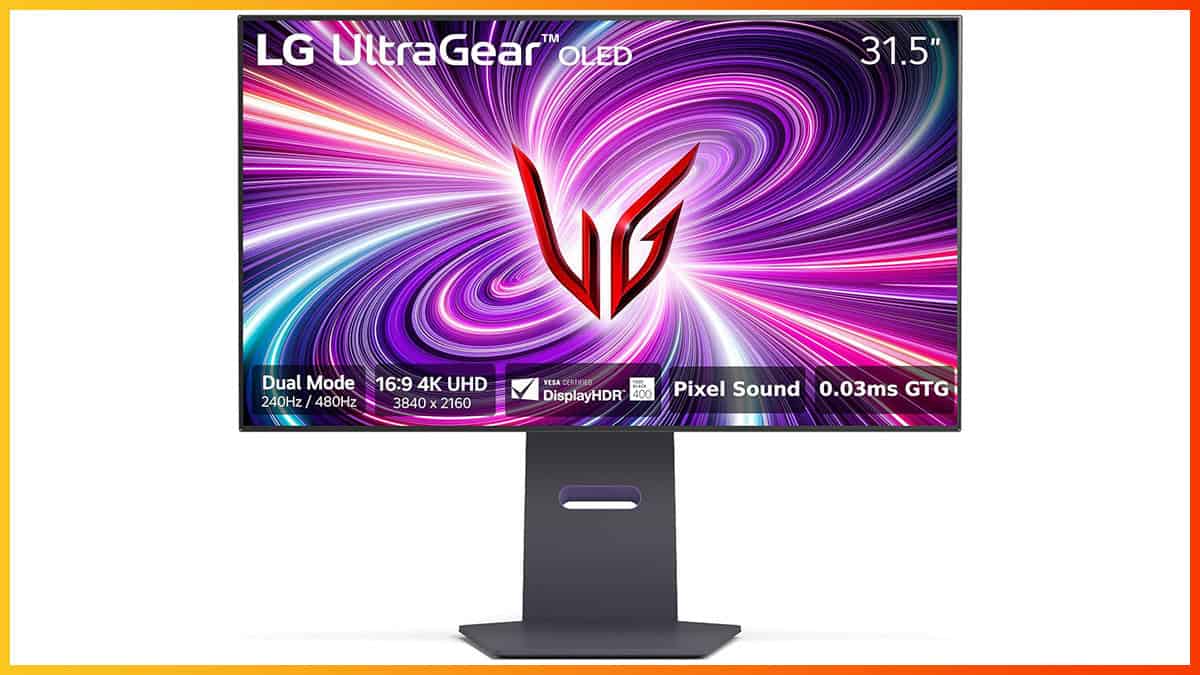
OLED (Organic Light-Emitting Diode) displays offer very fast response times (often below 0.1ms) with excellent color accuracy and contrast. The LG 32GS95UE showcases these benefits. OLED is currently more expensive than TN or IPS. While TN remains a cost-effective option, OLED is becoming the preferred choice for high-end performance.
- TN: Fastest response times, affordable, but poor color accuracy.
- IPS: Good color accuracy and viewing angles, slower response times (historically).
- OLED: Fastest response times, excellent color and contrast, most expensive.
Top 480Hz Gaming Monitors: 2026 Roundup
The 480Hz monitor market is developing, with several options available or expected for 2026. This list considers current trends and existing models. Pricing and availability may change due to demand.
The ASUS ROG Swift Pro PG248QP (24.1-inch, 1080p) is popular for its fast response time and low input lag. Its TN panel keeps costs down, and it supports NVIDIA G-Sync Compatible, typically costing $300-$400. The Alienware AW2524H (24.5-inch, 1080p) offers a similar feature set with a more refined design, usually priced around $400-$500.
The BenQ ZOWIE XL2586X (24.5-inch, 1080p) is favored by esports professionals for its DyAc+ technology, which reduces motion blur. This premium option usually costs $500-$600. The AOC AGON AG254FG (24.5-inch, 1080p) balances performance and price, featuring a 1ms response time and FreeSync Premium support, typically available for $350-$450.
The MSI Oculux NXG253R (24.5-inch, 1080p) offers a fast response time and sleek design, often found on sale for $300-$400. The ViewSonic XG2431 (24-inch, 1080p) provides a more affordable entry into 480Hz, with a 1ms response time and FreeSync Premium, generally retailing for $250-$350.
The Acer Predator X25 bmiiprzx (24.5-inch, 1080p) is a high-end option with a fast response time and G-Sync Compatible support, usually priced around $450-$550. Best Buy's current sale may offer discounts on some models.
Featured Products

27-inch QHD (1440p) WOLED panel · 480Hz refresh rate · 0.03ms response time
This ASUS ROG Swift OLED monitor delivers an exceptional visual experience with its 480Hz refresh rate and rapid response times, crucial for competitive gaming.

24.5-inch IPS panel · 480Hz refresh rate · 1ms response time
The Alienware AW2524H provides a competitive edge with its blazing-fast 480Hz refresh rate and smooth motion clarity, ideal for esports professionals.

24.1-inch Fast TN panel · 600Hz refresh rate · DyAc 2 technology for motion blur reduction
The BenQ Zowie XL2586X+ pushes the boundaries with an unprecedented 600Hz refresh rate and DyAc 2 technology, offering unparalleled clarity in fast-paced action.
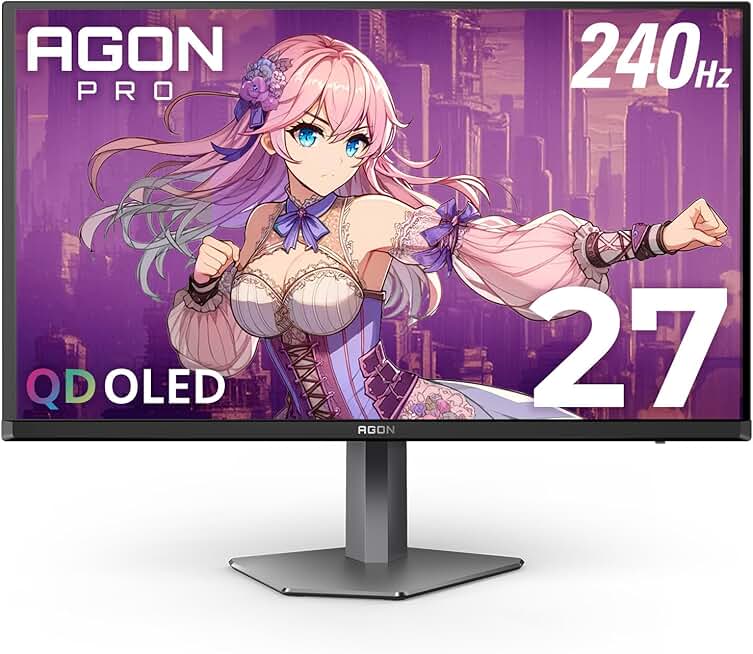
27-inch QHD (2560x1440) QD-OLED panel · 240Hz refresh rate · 0.03ms GtG response time
While not 480Hz, this AOC Agon PRO monitor offers a QD-OLED panel with a 240Hz refresh rate and extremely low response times, providing excellent visual fidelity and smooth gameplay.

32-inch 4K UHD (3840x2160) QD-OLED panel · 240Hz refresh rate · 0.03ms response time
The MSI MPG 321URX QD-OLED combines a large 4K display with a 240Hz refresh rate and rapid response times, delivering stunning visuals and fluid performance for immersive gaming.
As an Amazon Associate I earn from qualifying purchases. Prices may vary.
Resolution vs. Refresh Rate: Finding the Balance
480Hz is most practical at 1080p or 1440p resolutions. Pushing 480Hz at 4K requires an extremely powerful GPU and CPU, often making it difficult to maintain high frame rates due to hardware demands. 1080p is the most accessible path to 480Hz, while 1440p balances visual fidelity and performance.
Driving 480Hz at 1080p requires at least an NVIDIA GeForce RTX 3070 or AMD Radeon RX 6700 XT. For 1440p, an RTX 3080 or RX 6800 XT, or better, is recommended. These are minimums; aim higher for a smoother experience. A modern mid-to-high-end CPU, such as an Intel Core i5-13600K or AMD Ryzen 5 7600X, is also important.
NVIDIA DLSS and AMD FSR technologies upscale lower-resolution images to higher resolutions, improving performance with minimal visual quality loss. They are useful for achieving high frame rates at 1440p or 4K.
It’s important to be realistic about diminishing returns. While 480Hz is undeniably smoother than 240Hz, the difference becomes less noticeable as you increase resolution. At 4K, the benefits of 480Hz are likely to be minimal, and you’re better off prioritizing visual fidelity and a stable frame rate at a lower refresh rate.
480Hz Monitor Performance by Genre & Resolution (2026)
| Genre | 1080p/144Hz | 1080p/240Hz | 1080p/480Hz | 1440p/144Hz | 1440p/240Hz | 1440p/480Hz |
|---|---|---|---|---|---|---|
| FPS | Acceptable | Recommended | Highly Recommended | Recommended | Highly Recommended | Not Recommended (GPU intensive) |
| MOBA | Acceptable | Recommended | Recommended | Recommended | Highly Recommended | Not Recommended (Diminishing returns) |
| Racing | Acceptable | Recommended | Recommended | Recommended | Highly Recommended | Acceptable (Potential benefit with high-end hardware) |
| RPG | Recommended | Acceptable | Acceptable | Recommended | Acceptable | Not Recommended (Visual fidelity prioritized) |
| ASUS ROG Swift Pro PG248QP | Not Recommended | Acceptable | Highly Recommended | Not Applicable | Not Applicable | Not Applicable |
| Alienware AW2524H | Not Recommended | Acceptable | Highly Recommended | Not Applicable | Not Applicable | Not Applicable |
| BenQ ZOWIE XL2586X | Not Recommended | Acceptable | Highly Recommended | Not Applicable | Not Applicable | Not Applicable |
| AOC AGON AG254FG | Not Recommended | Acceptable | Highly Recommended | Not Applicable | Not Applicable | Not Applicable |
Illustrative comparison based on the article research brief. Verify current pricing, limits, and product details in the official docs before relying on it.
Connectivity & Sync Technologies Explained
DisplayPort 2.1 is essential for supporting 480Hz at higher resolutions. Older versions of DisplayPort may not have the bandwidth required. Make sure your graphics card and monitor both support DisplayPort 2.1 to take full advantage of the high refresh rate. HDMI 2.1 can also support high refresh rates, but it’s generally more limited.
G-Sync (NVIDIA) and FreeSync (AMD) are adaptive sync technologies that help eliminate screen tearing and stuttering. They work by dynamically adjusting the monitor’s refresh rate to match the frame rate output by your graphics card. G-Sync typically requires a dedicated G-Sync module in the monitor, while FreeSync is generally less expensive to implement.
Low input lag is crucial for competitive gaming. It’s the time it takes for your actions to be reflected on the screen. Lower input lag means a more responsive gaming experience. You can measure input lag using a specialized tool like a high-speed camera or a dedicated input lag tester. Variable refresh rate (VRR) is another important technology that works alongside G-Sync and FreeSync to further reduce screen tearing.
When choosing a monitor, pay attention to the available ports and ensure you have the necessary cables. You’ll need a DisplayPort 2.1 or HDMI 2.1 cable to support 480Hz at higher resolutions. Consider investing in a high-quality cable to ensure a stable connection.
Beyond the Specs: Ergonomics and Features
Don’t get so caught up in the numbers that you forget about ergonomics. A comfortable gaming experience is just as important as a high refresh rate. Look for a monitor with a stand that offers height, tilt, and swivel adjustments. This allows you to find the perfect viewing position and reduce strain on your neck and back.
Additional features can also enhance your gaming experience. Built-in speakers can be convenient, although they typically don’t offer the same audio quality as a dedicated headset or speaker system. A USB hub can be useful for connecting peripherals, and ambient lighting can add a touch of style to your setup.
Take the time to calibrate your monitor settings for optimal picture quality. Most monitors offer a variety of preset modes, but you can also customize the settings to your liking. A good monitor arm can free up desk space and provide even more adjustability.
Finally, consider features like blue light filters and eye care technologies. These can help reduce eye strain during long gaming sessions. Prolonged exposure to blue light can cause fatigue and disrupt sleep, so it’s important to take steps to protect your eyes.
480Hz in Practice: What Gamers Are Saying
Feedback from early adopters of 480Hz monitors is overwhelmingly positive, particularly among competitive gamers. The YouTube reviewer who spent extensive time with the LG 32GS95UE emphasized the increased clarity and responsiveness, stating that it allowed them to react faster and more accurately in fast-paced games. Many users report a noticeable reduction in motion blur and a smoother overall gaming experience.
Online communities, such as Reddit's r/CompetitiveOverwatch and r/Valorant, are filled with discussions about 480Hz monitors. Gamers consistently praise the improved visual clarity and responsiveness, noting that it gives them a competitive edge. However, some users also point out that the benefits are most noticeable in fast-paced games and may be less apparent in slower-paced titles.
One common sentiment is that 480Hz is a “gateway drug” – once you experience it, it’s hard to go back to lower refresh rates. Another point raised is the importance of having a powerful PC to take full advantage of the high refresh rate. If your frame rate is consistently below 480fps, you won’t see the full benefits.
A user on r/Valorant commented, “I switched from 240Hz to 480Hz and the difference is insane. I can see enemies more clearly and react faster. It’s definitely worth the investment if you’re serious about competitive gaming.” Another user noted, “It’s not a huge difference in every game, but in fast-paced shooters, it’s a game-changer.”
Future of High Refresh Rate Gaming
Will 480Hz become the new standard? It's likely, but it will take time. As display technology continues to improve and prices come down, 480Hz monitors will become more accessible to a wider audience. We may also see the emergence of even higher refresh rates, such as 600Hz or even 720Hz, in the coming years.
New display technologies, such as microLED, have the potential to revolutionize the gaming display market. MicroLED offers even faster response times, higher contrast ratios, and better color accuracy than OLED. However, it’s still a relatively new technology and is currently very expensive.
Hardware advancements will be crucial to support even higher refresh rates. We’ll need more powerful GPUs and CPUs, as well as faster memory and interconnects. DisplayPort 2.1 is a step in the right direction, but further improvements will be needed to keep pace with the demands of high refresh rate gaming.
The prospect of 8K gaming at high refresh rates is still a distant one. The bandwidth requirements are enormous, and the hardware needed to drive it is currently beyond the reach of most gamers. However, as technology advances, it’s not impossible to imagine a future where 8K gaming at 480Hz or higher is a reality.
No comments yet. Be the first to share your thoughts!