

iPhone 16 Pro Max Display: The 240Hz Question
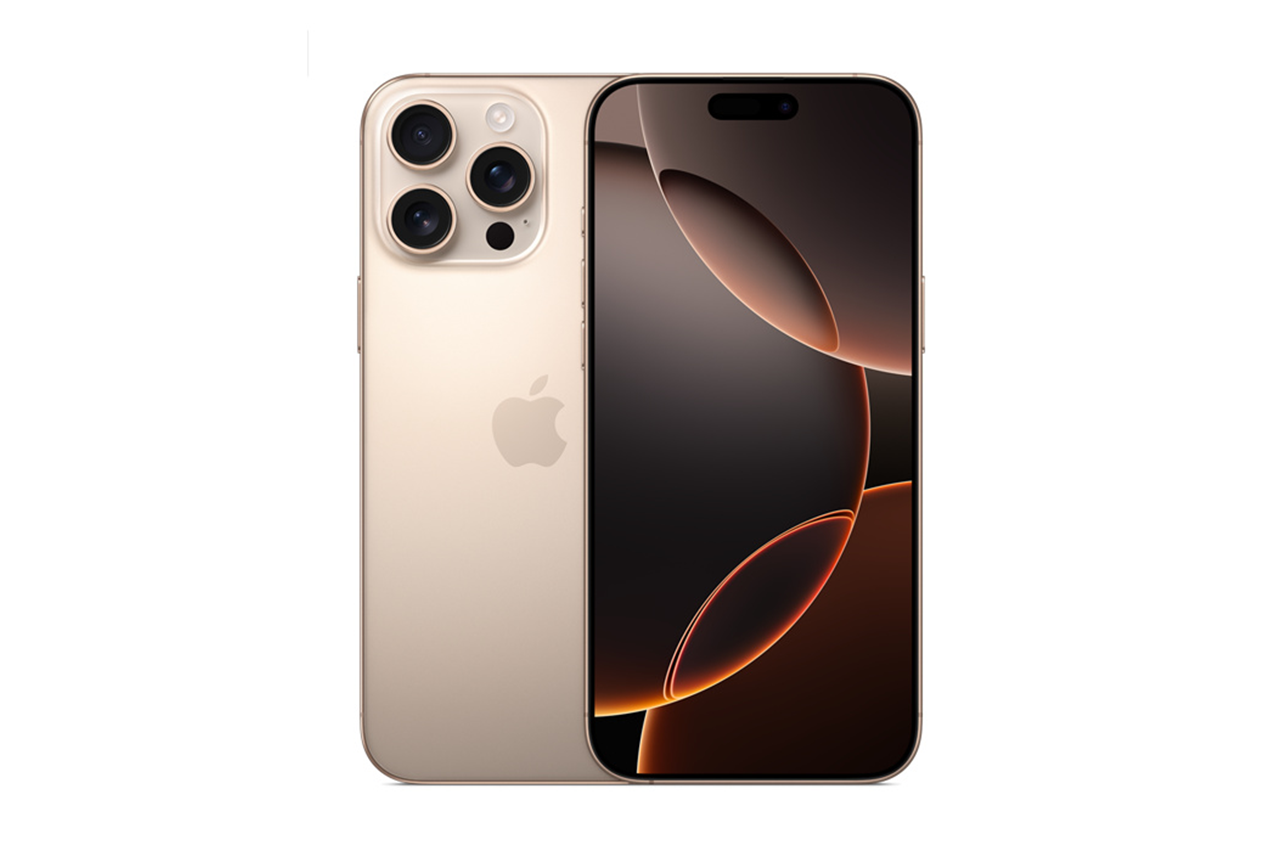
Whispers suggest the iPhone 16 Pro Max might feature a 240Hz display. Apple's current ProMotion offers up to 120Hz, a step up from standard 60Hz. Doubling that rate would mean smoother scrolling, more responsive gaming, and a snappier feel. However, a 240Hz display isn't confirmed, and its implementation would be complex.
Increasing the refresh rate is a logical progression, but it requires hardware support. Andrew Zuo noted that Apple's current 120Hz implementation isn't always consistent, suggesting a 240Hz variable refresh rate could face similar challenges.
A higher refresh rate means the display updates more times per second. A 60Hz display refreshes 60 times per second, 120Hz refreshes 120 times, and 240Hz refreshes 240 times. This leads to smoother motion and reduced blur. The jump from 60Hz to 120Hz is more noticeable than from 120Hz to 240Hz, which requires more effort to achieve.
ProMotion Today: What 120Hz Gets Right
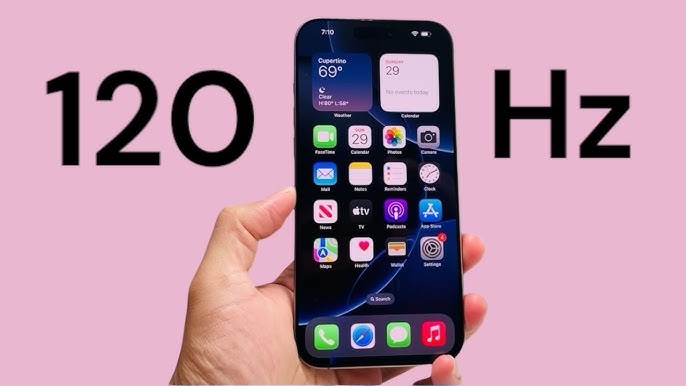
Apple’s ProMotion technology, introduced with the iPhone 13 Pro, offers a variable refresh rate. It dynamically adjusts from 10Hz up to 120Hz based on content. This prevents the display from constantly running at 120Hz, which would drain the battery, and only uses the higher rate when needed for tasks like scrolling or gaming.
120Hz makes scrolling feel smooth, animations natural, and the interface responsive. Apps with complex animations or fast gameplay benefit most. Tasks like video editing, gaming, or navigating the home screen feel more polished. The difference is noticeable once experienced.
Higher refresh rates increase power consumption. Running at a constant 120Hz would reduce battery life. Apple mitigates this with dynamic refresh rate adjustment, scaling the rate based on content to provide a smooth experience without excessive battery drain.
240Hz: The Technical Hurdles
A 240Hz display presents technical challenges beyond simply doubling the 120Hz rate. It requires more processing power, with the GPU needing to render frames twice as fast and the display controller handling higher data throughput. This means a more powerful chip, leading to more heat and potentially higher power consumption.
Battery life is a concern. A constant 240Hz rate would drain the battery faster. Achieving a variable 240Hz rate is crucial but complex at these speeds. The entire system must deliver content at 240Hz, not just the display.
Current OLED technology has limitations in response time and pixel switching speed. A 240Hz rate needs faster pixels, possibly requiring new OLED materials or manufacturing. Apple might need to advance beyond current LTPO technology. Overcoming these hardware and software hurdles requires significant engineering.
LTPO and Beyond: Display Tech Explained
Low-Temperature Polycrystalline Oxide (LTPO) enables variable refresh rates on smartphones like iPhones. Unlike older displays, LTPO allows precise control over gate lines, enabling frame-by-frame refresh rate adjustments, which is how ProMotion switches between 10Hz and 120Hz.
Current LTPO has limitations in achieving consistently accurate and smooth variable refresh rates at higher frequencies. There's a trade-off between flexibility and power efficiency. Advancing LTPO for 240Hz will require improvements in materials science and manufacturing, potentially in backplane design or new oxide materials.
Emerging technologies like MicroLED offer higher brightness, contrast, and faster response times than OLED. While still in development, MicroLED could enable higher refresh rates, though it faces manufacturing complexity and cost challenges. Display technology is evolving, likely through a combination of innovations for higher refresh rates.
Gaming on 240Hz: What to Expect
A 240Hz display could offer gamers a more immersive and responsive experience by reducing motion blur and input lag. Motion blur happens when fast objects appear blurred because the display's refresh rate can't capture each frame clearly. 240Hz minimizes this for sharper visuals. Reduced input lag also makes games feel more immediate.
Mobile gaming's current state is a consideration. Many games are capped at 60 or 120 FPS, limiting the benefit of a 240Hz display. Developers need to optimize games for higher frame rates. Apple’s MetalFX Upscaling helps by rendering at lower resolutions and upscaling, potentially boosting frame rates.
240Hz benefits are most apparent in competitive games like shooters or racing games, where reduced lag and blur offer an edge. Smoother visuals can enhance any game. The experience depends heavily on game optimization for higher refresh rates.
iPhone 16 Pro Max Refresh Rate Challenge
The iPhone 16 Pro Max is rumored to boast a stunning 240Hz display. But do you truly understand what refresh rates mean for your mobile gaming experience? Test your knowledge with this quick quiz and see if you're ready for the smoothest iPhone gaming yet!
Beyond Gaming: Daily Use Improvements
A 240Hz display offers advantages beyond gaming. Everyday use benefits from a smoother, more fluid experience. Scrolling through webpages, social media, or emails will feel smoother, and app animations will appear more natural.
undefinedHz display could also offer benefits. Video editors, graphic designers, and photographers may appreciate the smoother motion and more accurate color representation. While the difference may be subtle, it could improve the precision and efficiency of their workflows. The responsiveness of the interface could also make tasks like photo editing and video trimming feel more immediate.
It’s important to acknowledge that the benefits may not be noticeable to all users. Some people are more sensitive to motion than others, and those who don’t frequently engage in fast-paced activities may not perceive a significant difference. However, for those who prioritize a smooth and responsive user experience, a 240Hz display could be a worthwhile upgrade.
iPhone 16 Pro Max: Refresh Rate Settings
If the iPhone 16 Pro Max does indeed ship with a 240Hz display, it’s likely Apple will provide users with options to customize the refresh rate. We can anticipate a settings menu, possibly under "Display & Brightness’ or a dedicated ‘ProMotion’ section, where users can choose between different refresh rate options—likely 60Hz, 120Hz, and 240Hz. The system may also offer an ‘Auto" mode, which dynamically adjusts the refresh rate based on the content, similar to the current ProMotion implementation.
Customization options could extend beyond simply selecting a fixed refresh rate. Apple might introduce a "Battery Saver" mode that automatically lowers the refresh rate to 60Hz or 120Hz when battery life is low. They may also allow users to prioritize smoothness or battery life, with the system adjusting the refresh rate accordingly. The Technomentary video on enabling 120Hz on current iPhones provides a useful reference point for how Apple typically handles these settings.
It's reasonable to expect Apple to intelligently manage the 240Hz feature, ensuring that it doesn’t negatively impact battery life or performance. They might limit the 240Hz refresh rate to specific apps or scenarios, or dynamically adjust it based on the user’s activity. The goal will be to deliver a smooth and responsive experience without sacrificing usability.
Refresh Rate vs. FPS: Clearing Up Confusion
Refresh rate and frames per second (FPS) are often used interchangeably, but they are distinct concepts. Refresh rate, as we’ve discussed, is the number of times per second the display updates the image. FPS, on the other hand, is the number of frames per second that the GPU renders. Both are crucial for a smooth visual experience, but they work together, not as substitutes for each other.
Imagine a movie projector. The refresh rate is like the speed at which the projector shows each frame of film. The FPS is like the number of individual frames of film in the movie. If the projector shows frames too slowly (low refresh rate), the movie will appear choppy. If the movie doesn’t have enough frames (low FPS), the motion will also appear jerky. To get a smooth visual experience, you need both a high refresh rate and a high FPS.
Technologies like VSync help synchronize the FPS and refresh rate to avoid screen tearing and stuttering. Screen tearing occurs when the display shows parts of two different frames at the same time, creating a visual artifact. VSync ensures that the display only shows a complete frame when it’s ready, eliminating tearing. Matching the FPS to the refresh rate is ideal, but if the FPS exceeds the refresh rate, you may experience stuttering. Understanding the relationship between refresh rate and FPS is key to optimizing your visual experience.
No comments yet. Be the first to share your thoughts!