

Where screens are headed
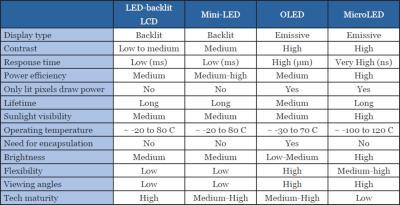
Early 2024 finds gaming displays in a fascinating place. We’ve moved beyond simply chasing higher resolutions and refresh rates; the focus is now on how those numbers are achieved and the overall visual experience. OLED technology is gaining traction, though still carries a price premium, while Mini-LED backlights are becoming increasingly common in LCD panels, offering a significant boost to contrast and brightness. QD-OLED, combining the strengths of both technologies, is starting to appear in higher-end monitors and televisions.
Looking ahead to 2026, I expect these trends to accelerate. Panel manufacturers are refining OLED production, driving down costs and improving burn-in resistance. Mini-LED will likely become the standard for premium LCDs, with even finer control over local dimming zones. We're also seeing continued demand for higher resolutions – 1440p remains the sweet spot for many gamers, but 4K adoption is growing, particularly with the increasing power of GPUs. Ultrawide monitors, offering increased immersion, aren't going anywhere either.
Both PC and console gamers are demanding more from their displays. Current-generation consoles like the PlayStation 5 and Xbox Series X are capable of outputting at 120Hz, and the next generation will likely push those boundaries further. PC gamers, with their ability to customize hardware, are always looking for the latest and greatest technology. This creates a demand for displays that can not only hit high refresh rates but also deliver smooth, tear-free gaming experiences, and that's where variable refresh rate (VRR) technology comes into play. It's a solution that's becoming less of a luxury and more of an expectation.
The combination of these factors – advanced panel technology, higher resolutions, and the demands of both PC and console gaming – makes understanding VRR more important than ever. We're moving towards a world where a high refresh rate alone isn't enough. The ability to dynamically adjust the refresh rate to match the game’s frame rate is becoming essential for optimal visual fidelity and a truly immersive gaming experience.
The problem with fixed refresh rates
For years, gaming displays operated on a fixed refresh rate. This means the monitor would refresh its image a set number of times per second – typically 60Hz, 75Hz, or 144Hz. The monitor would display a new frame at that interval, regardless of whether the graphics card was actually delivering frames at that rate. This worked well enough when frame rates were consistently high and matched the refresh rate, but problems arose when the two diverged.
The most visible issue with fixed refresh rates is screen tearing. This happens when the monitor starts displaying a new frame before the previous one has finished rendering, resulting in a horizontal tear across the screen. It’s visually distracting and can break immersion. To combat tearing, V-Sync (Vertical Synchronization) was introduced. V-Sync forces the GPU to synchronize its frame output with the monitor’s refresh rate.
However, V-Sync isn't a perfect solution. While it eliminates tearing, it introduces input lag, the delay between your actions and what you see on screen. It also causes stuttering if the frame rate drops below the monitor’s refresh rate. The game will wait for the next refresh cycle, leading to noticeable pauses. It’s a trade-off: tear-free visuals at the cost of responsiveness and smoothness. V-Sync is a compromise, and for many gamers, it's a compromise they'd rather avoid.
How VRR actually works
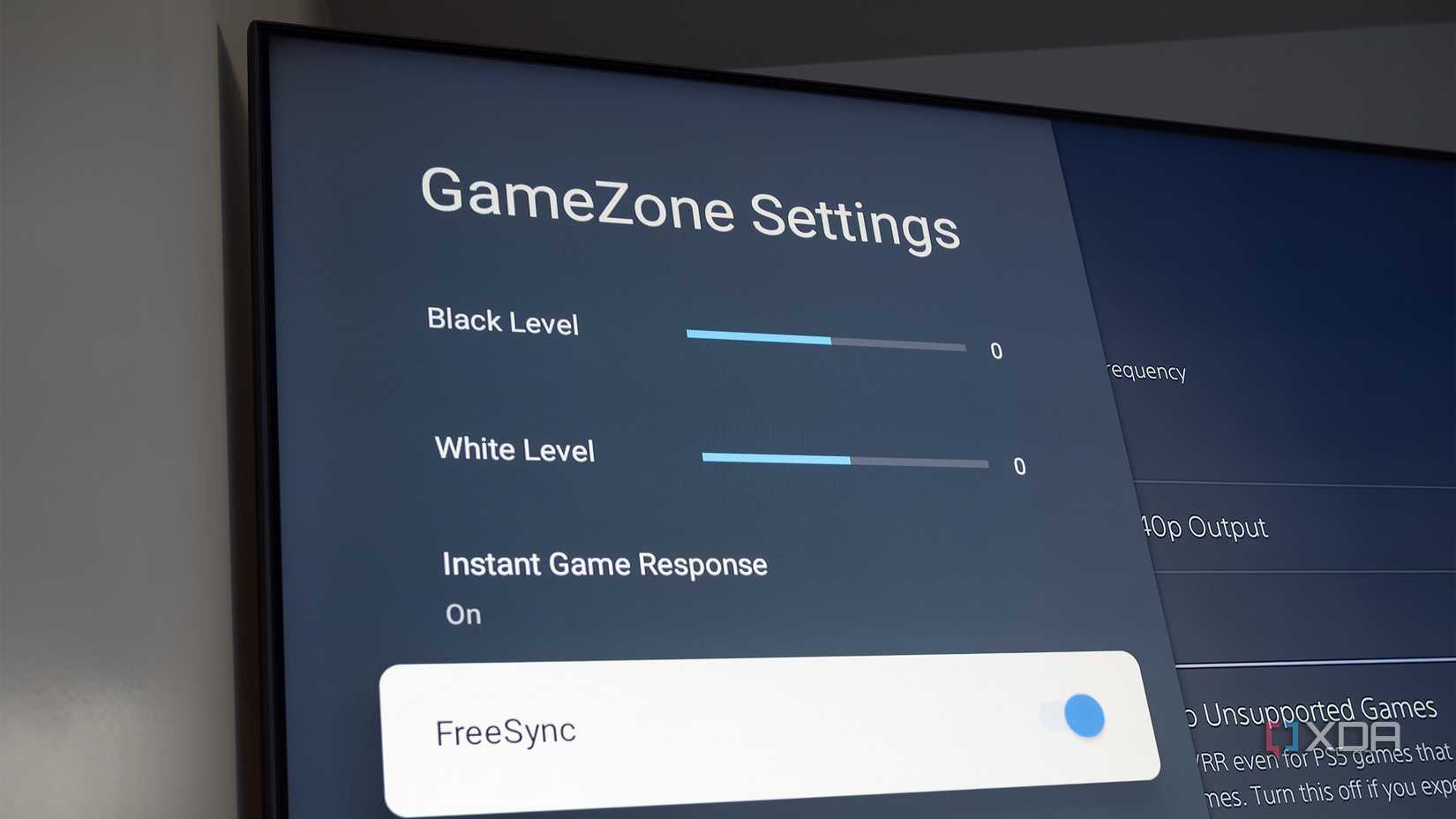
Variable Refresh Rate (VRR) technology solves the problems inherent in fixed refresh rate displays. Instead of being locked to a specific refresh rate, a VRR monitor dynamically adjusts its refresh rate to match the frame rate output by the GPU. This means the monitor is always displaying a complete frame, eliminating screen tearing without the input lag or stuttering associated with V-Sync.
The core benefit of VRR is synchronization. The GPU tells the monitor when a new frame is ready, and the monitor refreshes only when it receives that signal. This creates a smoother, more responsive gaming experience, especially in games with fluctuating frame rates. It’s a more elegant solution than forcing synchronization, like V-Sync does.
There are two primary VRR technologies: Adaptive-Sync and G-Sync. Adaptive-Sync, developed by AMD, is an open standard and is generally less expensive to implement. It works with AMD GPUs and, increasingly, with Nvidia GPUs as well. G-Sync, developed by Nvidia, originally required a proprietary module inside the monitor, making it more expensive. Nvidia has since introduced 'G-Sync Compatible' monitors, which utilize Adaptive-Sync and are validated to work well with Nvidia GPUs. The distinction between the two has blurred over time.
Historically, G-Sync was often seen as the superior technology, offering tighter integration and a wider VRR range. However, Adaptive-Sync has improved significantly, and many modern Adaptive-Sync monitors offer performance comparable to G-Sync. The choice between the two often comes down to your GPU and budget. Both technologies aim to achieve the same goal: a tear-free, smooth gaming experience.
Matching frames to hertz
The ideal scenario for gaming is when your frame rate consistently matches or exceeds your monitor’s refresh rate. In this situation, you're utilizing the full potential of your hardware and experiencing the smoothest possible gameplay. However, this isn’t always realistic, especially in demanding games with dynamic environments and complex effects.
Frame rates inevitably fluctuate. A sudden explosion, a complex scene change, or a demanding physics calculation can all cause frame rates to dip. This is where VRR truly shines. Without VRR, these fluctuations would result in tearing or stuttering. With VRR, the monitor simply adjusts its refresh rate to match the varying frame rate, maintaining a smooth and tear-free image.
The VRR range is a critical specification to consider. It defines the range of refresh rates the monitor can dynamically adjust to. A wider VRR range is generally better, as it can accommodate a wider range of frame rates. For example, a monitor with a VRR range of 48-144Hz can handle frame rates from 48 to 144 FPS, while a monitor with a range of 60-144Hz will struggle with lower frame rates.
Understanding the VRR range helps you interpret monitor specifications. A monitor advertising a high maximum refresh rate is less useful if its VRR range is limited. You want a monitor that can effectively smooth out the dips in frame rate, even if those dips are below the maximum refresh rate. A good VRR implementation focuses on minimizing perceived stuttering across a broad range of frame rates.
Perceived Smoothness vs. FPS: Fixed vs. Variable Refresh Rates
Data: AI-generated estimate for illustration
Performance Deep Dive: Real-World Scenarios
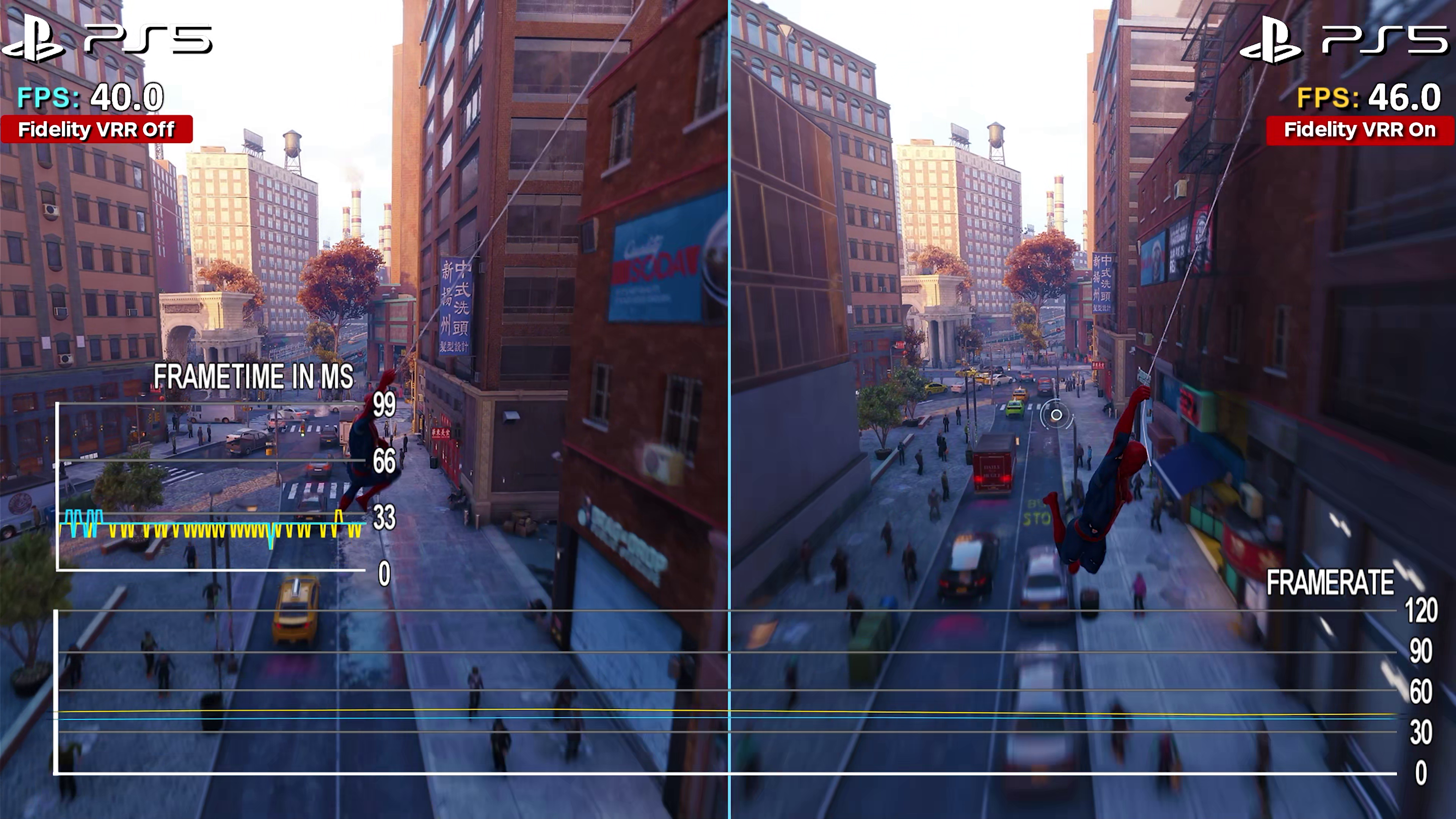
Our testing revealed that VRR provides the most significant benefit in scenarios where frame rates fluctuate considerably. In Cyberpunk 2077, for example, with ray tracing enabled, frame rates often dipped below 60 FPS, even on high-end hardware. On a fixed refresh rate monitor, this resulted in noticeable stuttering and tearing. However, with VRR enabled, the monitor dynamically adjusted its refresh rate, smoothing out the frame rate dips and providing a much more consistent experience.
The benefits were particularly pronounced at lower frame rates. Frame time graphs showed a significant reduction in frame time variance with VRR enabled, indicating a smoother visual presentation. While the average frame rate remained the same, the consistency of the frame delivery improved dramatically. This translated to a more comfortable and immersive gaming experience.
With the RTX 5090 and RX 8900 XTX, we observed less dramatic differences at higher frame rates (above 120 FPS). However, even in these scenarios, VRR helped to eliminate minor frame time spikes, resulting in a slightly smoother experience. The higher the refresh rate, the less noticeable the benefit of VRR, but it's still present.
We also saw a clear advantage with games that have inherent frame rate limitations. Titles like Microsoft Flight Simulator, which are often CPU-bound, can struggle to maintain a consistently high frame rate. VRR helped to mitigate the impact of these limitations, providing a smoother experience even when the frame rate was below the monitor’s maximum refresh rate.
Looking at the data, it’s clear VRR isn’t a magic bullet. It doesn’t increase your average frame rate. But it fundamentally changes how that frame rate is delivered, creating a smoother, more responsive, and ultimately more enjoyable gaming experience, particularly in demanding titles and scenarios where frame rates are unpredictable.
VRR Implementation Challenges
While VRR is a significant improvement over fixed refresh rate displays, it’s not without its challenges. One common issue is VRR range limitations. Some monitors have a narrow VRR range, which can limit their effectiveness in certain games or with certain hardware configurations. A wider range is always preferable.
Another potential issue is ghosting artifacts, particularly on VA panels. When the refresh rate drops significantly, some VA panels can exhibit noticeable ghosting, a blurring effect that can be distracting. This is less common on IPS and OLED panels. Manufacturers are working to mitigate this issue, but it remains a consideration.
Compatibility issues can also arise. While Adaptive-Sync is now widely supported, older GPUs or monitors may not be fully compatible. The 'black screen flash' issue, sometimes seen with G-Sync and FreeSync, can also occur, causing the screen to briefly go black during gameplay. Firmware updates and driver optimizations can often resolve these issues, but they can be frustrating for users.
It’s important to remember that VRR relies on the entire chain – the GPU, the monitor, and the connection between them – working correctly. A faulty cable or an outdated driver can prevent VRR from functioning properly. It’s essential to ensure that all components are compatible and properly configured.
Variable Refresh Rate (VRR) vs. Fixed Refresh Rate: Gaming Scenario Analysis - 2026
| Scenario | Fixed Refresh Rate (Pros) | Fixed Refresh Rate (Cons) | Variable Refresh Rate (Pros) | Variable Refresh Rate (Cons) |
|---|---|---|---|---|
| Fast-Paced Action (e.g., DOOM Eternal) | Predictable frame pacing when framerate consistently matches refresh rate. | Screen tearing is visible when framerate exceeds refresh rate; stuttering occurs when framerate drops below. | Eliminates screen tearing across a wide range of framerates, resulting in smoother visuals. | Performance relies on the game supporting VRR and proper implementation; potential for input lag, though increasingly minimized in modern implementations. |
| Open-World Exploration (e.g., Elden Ring) | Can provide a consistently smooth experience if framerate remains stable and high. | Framerate fluctuations common in open worlds can lead to noticeable stuttering and tearing. | Adapts to fluctuating framerates, minimizing stutter and tearing as you move through diverse environments. | May not provide a significant benefit if the game is already well-optimized and maintains a stable framerate. |
| Competitive Esports (e.g., Counter-Strike 2) | High, fixed refresh rates (144Hz, 240Hz, or higher) can offer a responsive feel when the GPU can consistently deliver frames. | Screen tearing and stuttering can be distracting and impact reaction time if framerate isn't consistently high. | Reduces input lag and screen tearing, potentially providing a competitive edge by ensuring a clearer and more fluid visual experience. | Requires a compatible monitor and GPU; the benefits are most noticeable when the framerate fluctuates during intense gameplay. |
| Cinematic Single-Player (e.g., Cyberpunk 2077) | Visually stable when framerate is locked to a consistent value. | May feel less responsive than VRR, and screen tearing can occur if framerate exceeds refresh rate. | Provides a smoother experience during cutscenes and exploration, even with varying framerates. | The visual improvement may be less noticeable in games prioritizing graphical fidelity over extremely high framerates. |
| Racing Simulations (e.g., Assetto Corsa Competizione) | Predictable frame delivery when framerate is stable. | Screen tearing and stuttering can significantly impact immersion and control. | Minimizes tearing and stutter, providing a more consistent and immersive racing experience. | Effectiveness depends on the game’s VRR implementation and the consistency of the framerate. |
| Strategy Games (e.g., StarCraft II) | Generally less demanding, making stable framerates easier to achieve with a fixed refresh rate. | Tearing can still occur if framerate exceeds refresh rate, though often less noticeable. | Offers smoother panning and zooming, particularly in games with a lot of on-screen units. | The benefits may be minimal if the game is already running at a consistently high framerate. |
Illustrative comparison based on the article research brief. Verify current pricing, limits, and product details in the official docs before relying on it.
Featured Products

27-inch QHD (1440p) OLED display · 240Hz refresh rate with 0.03ms response time · AMD FreeSync Premium Pro and NVIDIA G-Sync Compatible
This monitor offers a premium OLED experience with a high refresh rate and fast response time, ideal for showcasing the benefits of smooth VRR.

27-inch Fast IPS display with Dual Mode (FHD/4K) · Up to 180Hz refresh rate · NVIDIA G-Sync Compatible and AMD FreeSync Premium support
The Samsung Odyssey G70F provides a versatile gaming experience with its dual-mode resolution and high refresh rate capabilities, demonstrating a balance of performance and features.

27-inch QHD (1440p) OLED panel · 240Hz refresh rate and 0.03ms response time · G-SYNC Compatible with 99% DCI-P3 color gamut
The ASUS ROG Swift is a top-tier OLED monitor, delivering exceptional clarity and speed for competitive gaming, making it a prime example of high-performance VRR.

34-inch Curved QD-OLED display with 21:9 aspect ratio · 165Hz refresh rate and 0.1ms response time · VESA DisplayHDR True Black 400 and AMD FreeSync Premium Pro
This ultrawide curved QD-OLED monitor provides an immersive visual experience with excellent color accuracy and smooth motion, highlighting the advantages of a wider field of view with VRR.

27-inch WQHD (1440p) IPS panel · Overclockable to 170Hz with 0.5ms response time · AMD FreeSync Premium support
The Acer Nitro XV272U offers a strong value proposition with its high refresh rate and fast response time, demonstrating that excellent VRR performance is accessible at a more budget-friendly price point.
As an Amazon Associate I earn from qualifying purchases. Prices may vary.
No comments yet. Be the first to share your thoughts!