

Refresh rate and frame rate basics
Let’s start with the basics. A monitor’s refresh rate is how many times per second it redraws the image on the screen, measured in Hertz (Hz). A 60Hz monitor refreshes 60 times a second, 144Hz refreshes 144 times, and so on. Alongside this, we have frame rate (FPS), which is how many images your graphics card is telling the monitor to display each second. Ideally, these two numbers want to be in sync.
When the refresh rate and frame rate don’t align, things get messy. If your FPS is consistently higher than your refresh rate, you’ll experience screen tearing – a visual artifact where the monitor displays parts of two different frames simultaneously. Conversely, if your FPS drops below your refresh rate, you’ll notice stuttering, which is a jarring, uneven visual experience. These aren't just cosmetic issues; they actively detract from immersion and can hinder gameplay.
Our eyes catch even tiny fluctuations in frame delivery. Simply buying a high-refresh monitor isn't a fix-all; panel quality and response times still dictate how clear that motion actually looks.
For a long time, 60Hz was the standard, and it’s still perfectly adequate for many types of content. But competitive gamers, and those seeking the smoothest possible visual experience, quickly realized the benefits of higher refresh rates. This demand drove the development of technologies designed to bridge the gap between fluctuating frame rates and fixed refresh displays – and that’s where variable refresh rate (VRR) comes in.
The problem with fixed refresh rates
Traditional monitors operate at a fixed refresh rate. This means they’re constantly refreshing the screen at that set frequency, regardless of whether your graphics card is delivering a consistent stream of frames. This is where the problems start. If your frame rate fluctuates, the monitor has to choose: display a partial frame (tearing), or wait for the next refresh cycle (stuttering).
V-Sync was the initial solution. It synchronizes your game’s frame rate to your monitor’s refresh rate, preventing tearing. However, V-Sync introduces significant input lag, which is the delay between your actions (mouse clicks, key presses) and what you see on screen. This can be particularly detrimental in fast-paced games where split-second reactions matter. It also doesn't solve the stuttering problem; if your FPS dips below the refresh rate, you'll still experience judder.
Gamers have historically resorted to various compromises to mitigate these issues. Many cap their frame rates to match their monitor’s refresh rate, sacrificing potential performance gains for smoothness. Others lower their graphics settings to maintain a consistent frame rate, compromising visual fidelity. And some simply accept the visual imperfections, which is far from ideal. It's a constant balancing act, and frankly, it’s frustrating.
Comparing VRR technologies
Variable refresh rate (VRR) technologies dynamically adjust the monitor’s refresh rate to match the frame rate outputted by your graphics card. This eliminates tearing and reduces stuttering without the input lag penalty of V-Sync. There are several competing standards, each with its own strengths and weaknesses.
AMD FreeSync was the first widely adopted VRR technology. It’s an open standard, meaning it’s royalty-free for monitor manufacturers, which has led to wider availability and generally lower prices. There are different tiers of FreeSync: standard FreeSync, FreeSync Premium (which includes Low Framerate Compensation or LFC to smooth out performance at lower FPS), and FreeSync Premium Pro (adding HDR support).
NVIDIA G-Sync is NVIDIA’s proprietary VRR technology. It requires a dedicated hardware module inside the monitor, which historically made G-Sync monitors more expensive. Like FreeSync, G-Sync also has tiers: G-Sync, G-Sync Compatible (monitors that have been validated to work with NVIDIA GPUs), and G-Sync Ultimate (offering the highest level of performance and features, including full-array local dimming and HDR).
More recently, HDMI 2.1 VRR has emerged as a universal standard. It’s built into the HDMI 2.1 specification and is supported by both AMD and NVIDIA graphics cards, as well as the latest consoles. This eliminates the need for proprietary modules or licensing fees. However, it requires both your monitor and your source device (GPU or console) to support HDMI 2.1.
- FreeSync: AMD’s open standard that works over DisplayPort and HDMI.
- G-Sync: NVIDIA’s proprietary VRR technology.
- HDMI 2.1 VRR: Universal standard built into the HDMI 2.1 specification.
VRR Performance: Real-World Scenarios
The benefits of VRR are most noticeable in games with fluctuating frame rates. Fast-paced shooters like Apex Legends and Call of Duty: Warzone are prime examples. Without VRR, these games are prone to tearing and stuttering, especially during intense action sequences. VRR smooths out these inconsistencies, providing a more responsive and immersive experience.
Open-world RPGs, such as Cyberpunk 2077 and Elden Ring, also benefit significantly. These games often experience frame rate dips in demanding areas. VRR prevents these dips from manifesting as noticeable stuttering, maintaining a consistent visual flow. However, the impact of VRR can be less dramatic in games that are consistently well-optimized and maintain a high frame rate.
Competitive esports titles, like Counter-Strike 2 and Valorant, prioritize low input lag and high frame rates. While VRR is beneficial, the input lag reduction isn't as crucial as in more visually demanding games. The focus shifts to ensuring that the VRR implementation doesn't add any noticeable delay. You'll also want to consider the monitor's response time; a slow response time can introduce ghosting, even with VRR enabled.
VRR won't save a poorly optimized game. If your PC is struggling to hit 30 FPS, the experience will still feel sluggish. The tech works best when your frame rate stays within the monitor's supported range, usually between 40Hz and the maximum refresh rate.
- Fast-Paced Shooters: Smoother visuals during intense action.
- Open-World RPGs: Reduced stuttering in demanding areas.
- Esports Titles: Improved responsiveness and consistency.
VRR Technology Comparison: Gaming Performance - 2026 Edition
| Feature | FreeSync | G-Sync | HDMI 2.1 VRR |
|---|---|---|---|
| Cost | Generally more affordable | Typically more expensive | Cost varies by implementation |
| GPU Compatibility | Excellent with AMD GPUs | Optimized for NVIDIA GPUs | Broad compatibility, including consoles |
| Monitor Compatibility | Wide range of monitors available | Requires certified monitors | Supported by many modern TVs and monitors |
| Implementation Complexity | Relatively simple to implement | More complex certification process | Standardized within the HDMI specification |
| Input Lag | Minimal added input lag | Minimal added input lag | Generally low, but can vary |
| Artifact Reduction | Effective at reducing tearing | Highly effective at reducing tearing & stuttering | Good tearing reduction, performance depends on TV/monitor |
| Connection Type | Primarily DisplayPort | Requires DisplayPort connection | HDMI connection required |
| Adaptive Sync Range | Variable, depends on monitor tier | Variable, depends on module version | Variable, depends on TV/monitor capabilities |
Qualitative comparison based on the article research brief. Confirm current product details in the official docs before making implementation choices.
Beyond Gaming: VRR on Consoles
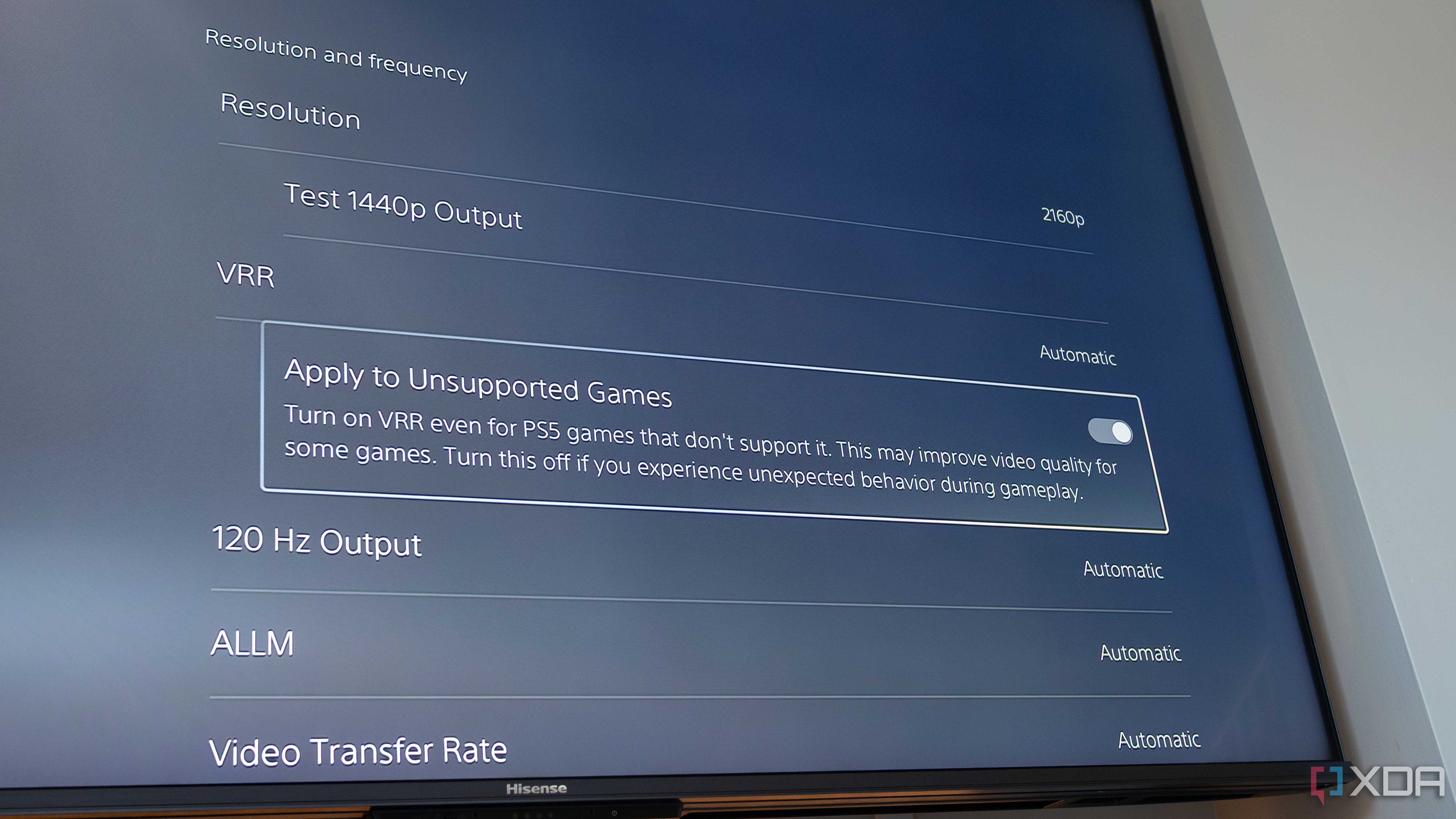
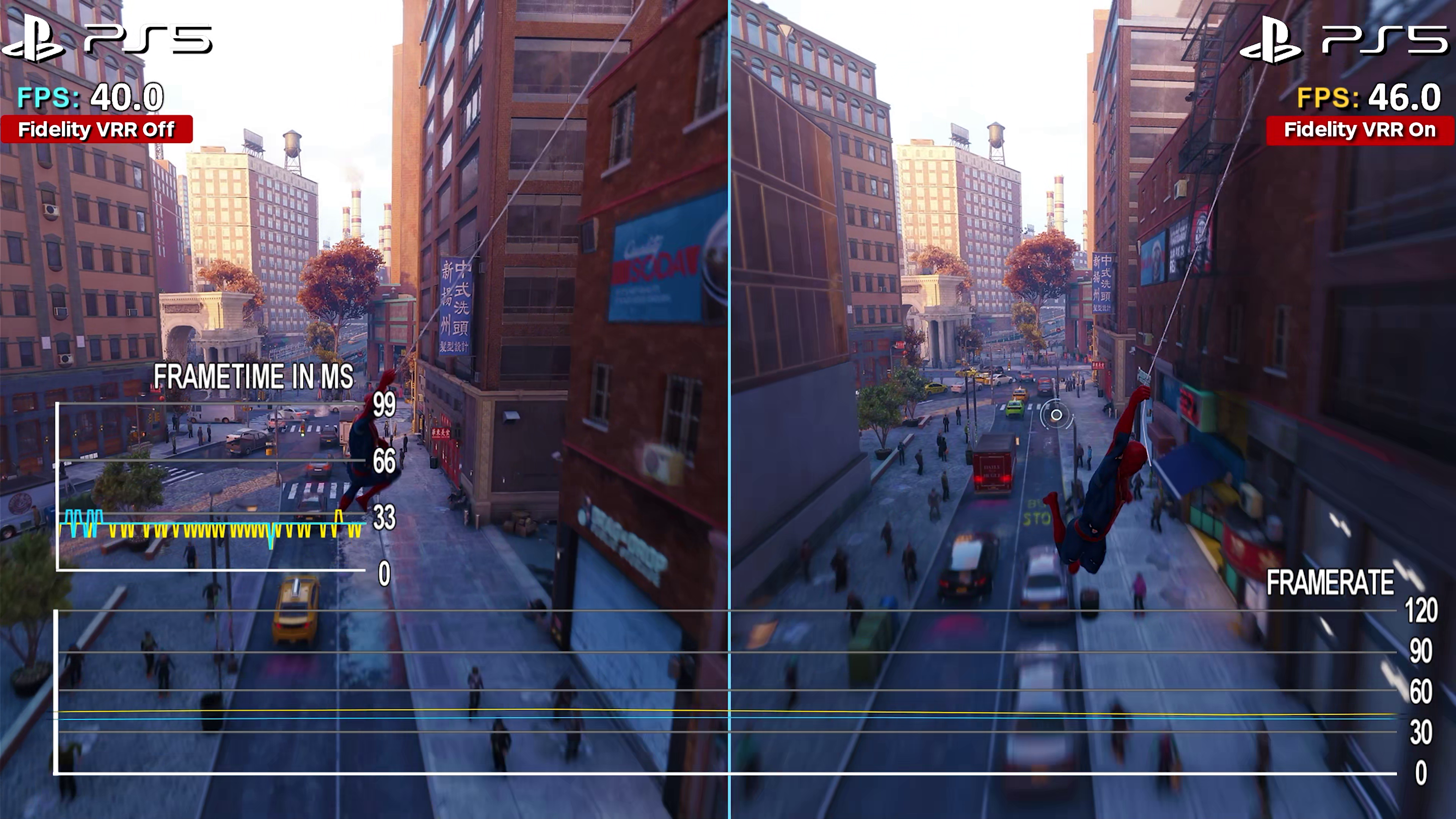
VRR isn’t limited to the PC gaming world. Both the PlayStation 5 and Xbox Series X/S support VRR via HDMI 2.1. This significantly improves the gaming experience on these consoles, particularly for games that struggle to maintain a stable frame rate. The benefits are similar to those seen on PC: reduced tearing and stuttering, resulting in a smoother and more responsive visual experience.
To take advantage of VRR on consoles, you’ll need a TV or monitor that supports HDMI 2.1 and VRR. You’ll also need to enable VRR in the console’s settings. Compatibility can sometimes be an issue, so it’s important to check that your display is officially supported by Sony or Microsoft. Some TVs may require a firmware update to enable VRR.
The implementation of VRR differs slightly between the PS5 and Xbox Series X/S. The PS5 automatically enables VRR when a compatible display is detected, while the Xbox Series X/S requires manual activation. Both consoles offer a noticeable improvement in visual quality when VRR is enabled, especially in games that were previously prone to tearing or stuttering.
Console VRR is particularly helpful for games that target a dynamic resolution or frame rate. These games often adjust their settings on the fly to maintain a stable performance, and VRR ensures that these adjustments are smooth and seamless.
Troubleshooting VRR: Common Issues
While VRR generally works flawlessly, users sometimes encounter issues. Flickering is a common complaint, often caused by an incompatible cable or incorrect monitor settings. Ensure you’re using a certified HDMI 2.1 cable if required, and double-check your monitor’s VRR settings – sometimes disabling and re-enabling VRR can resolve the problem.
Black screens or intermittent signal loss can also occur, particularly with early VRR implementations. Updating your graphics drivers and monitor firmware is often the first step in resolving these issues. You might also try different display cables or ports. It's also worth experimenting with different VRR modes (e.g., FreeSync Compatible vs. FreeSync Premium) to see if one works better than the other.
Ironically, some users report experiencing stuttering with VRR enabled. This can be caused by a conflict between V-Sync and VRR, or by a poorly optimized game. Disable V-Sync when using VRR, and try capping your frame rate slightly below your monitor’s refresh rate to see if it improves smoothness. It's a strange situation, but it can happen.
Finally, remember to check your monitor’s overdrive settings. Overdrive is a feature that reduces ghosting, but it can sometimes introduce artifacts or instability. Experiment with different overdrive levels to find the optimal setting for your monitor and gaming preferences.
- Flickering: Check cable and monitor settings.
- Black Screen/Signal Loss: Update drivers and firmware.
- Stuttering with VRR: Disable V-Sync, cap frame rate.
Future tech and OLED panels
Refresh rate technology is constantly evolving. We’re likely to see further refinements to existing VRR implementations, with a focus on reducing input lag and improving compatibility. New standards, such as DisplayPort 2.1, promise even greater bandwidth and support for higher refresh rates and resolutions.
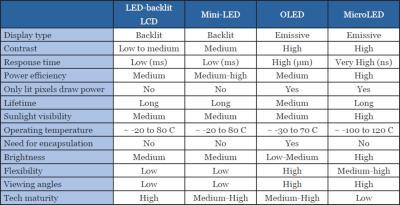
The rise of OLED and Mini-LED displays will also play a significant role. These technologies offer superior contrast ratios and black levels, which can further enhance the visual experience. Combined with VRR, they have the potential to deliver incredibly immersive and responsive gaming experiences. However, OLEDs can sometimes suffer from burn-in; advancements in panel technology are aimed at mitigating this risk.
We may also see more sophisticated VRR algorithms that can dynamically adjust the refresh rate based on the content being displayed. This could lead to even smoother and more consistent visuals, particularly in games with complex scenes and fluctuating frame rates. The goal is to make VRR virtually imperceptible, providing a truly seamless gaming experience.
While pushing refresh rates to incredibly high levels (e.g., 480Hz, 1000Hz) is technically possible, the benefits are likely to diminish beyond a certain point. The focus will probably shift towards optimizing existing technologies and improving the overall visual quality of displays.
Featured Products

27-inch QHD (1440p) OLED display · 240Hz refresh rate · 0.03ms response time
This monitor showcases the peak of OLED gaming with an ultra-high refresh rate and near-instantaneous response time, ideal for demonstrating VRR's impact on fast-paced games.

27-inch FHD (1080p) Fast IPS display · Dual Mode: 4K upscaling with 180Hz refresh rate · NVIDIA G-Sync Compatible and AMD FreeSync™ Premium
The Odyssey G7 G70F offers a unique dual-mode functionality, allowing for testing VRR at both FHD and a higher effective resolution/refresh rate combination.

32-inch 4K UHD (3840 x 2160) Mini-LED IPS display · 144Hz refresh rate with DSC · G-SYNC Ultimate certification
As a premium option, this monitor highlights VRR's benefits on a high-resolution, high-brightness display with advanced Mini-LED backlighting for superior HDR performance.

27-inch QHD (2560x1440) IPS display · 180Hz refresh rate · 1ms MPRT response time
This monitor provides a strong value proposition for VRR testing, offering a high QHD resolution and refresh rate at an accessible price point.

34-inch 21:9 Curved QD-OLED display · 165Hz refresh rate · 0.1ms response time
The curved QD-OLED panel and ultrawide aspect ratio of this monitor offer an immersive VRR experience, showcasing smooth motion and vibrant colors.
As an Amazon Associate I earn from qualifying purchases. Prices may vary.
No comments yet. Be the first to share your thoughts!