

The State of Refresh Rate Tech in 2026
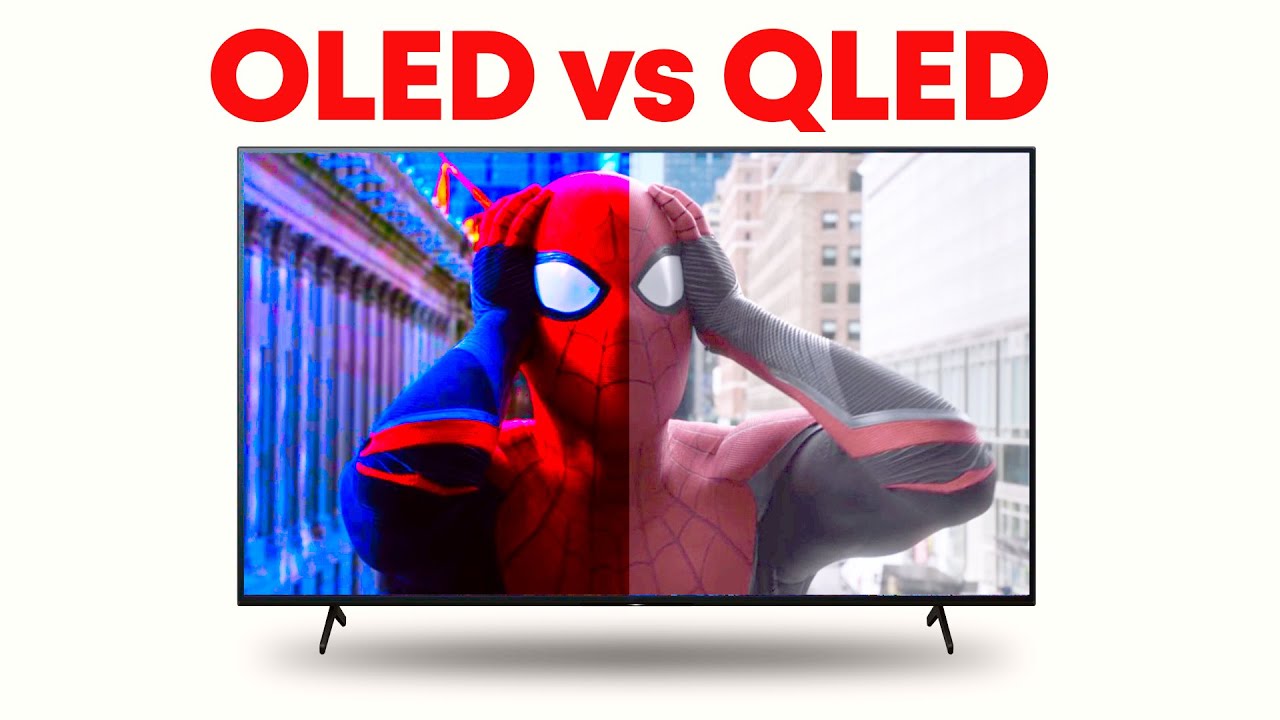
Gaming monitor technology has come a long way, and 2026 looks to be a particularly interesting year. Both OLED and QLED panels have matured significantly, offering gamers incredible visuals and performance. We're past the point of one technology clearly dominating the other; instead, they’re pushing boundaries in different directions, catering to distinct needs and preferences.
Over the last few years, we’ve seen OLED move from a niche, expensive option to something more attainable, although still often premium. Samsung, LG, and other manufacturers like ASUS and MSI are heavily invested in both technologies, constantly refining their offerings. Panel innovations are happening quickly, with a focus on reducing response times, improving color accuracy, and addressing long-standing limitations like burn-in.
QLED, meanwhile, continues to leverage the strengths of LCD technology, focusing on brightness and color volume. Quantum Dot technology has allowed QLED monitors to challenge OLED in certain areas, particularly in HDR performance. The competition between these technologies is ultimately beneficial to gamers, driving innovation and lowering prices.
This isn't about declaring a single 'winner.' It’s about understanding the strengths and weaknesses of each technology and how they translate to the gaming experience. By 2026, the choice will likely come down to a more nuanced decision based on specific use cases and individual priorities.
Content is being updated. Check back soon.
OLED: Perfect Blacks, Faster Response
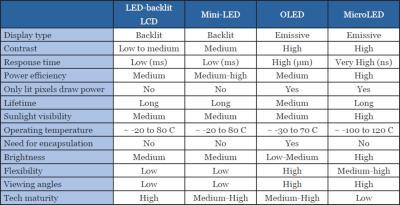
OLED (Organic Light Emitting Diode) technology differs from traditional LCD panels because each pixel is self-emissive, generating its own light. This allows for perfect blacks – when a pixel is 'off,' it’s truly off, resulting in an infinite contrast ratio. This is a significant advantage for gaming, creating immersive and detailed images.
OLED pixels switch on and off remarkably quickly. Response times are typically well below 1ms, significantly reducing motion blur and ghosting. This is critical for fast-paced games where every millisecond counts, providing a competitive edge and a more enjoyable gaming experience.
However, OLED has drawbacks. Burn-in, the potential for static images to leave a permanent ghost image, is a concern. Manufacturers use mitigation techniques like pixel shifting and screen savers, but it remains a factor. Modern OLED panels are more resistant than earlier models, but it's still something to consider.
Brightness is another area where OLED traditionally lags behind QLED. While OLED brightness has improved, QLED panels generally achieve higher peak brightness levels, noticeable in brightly lit rooms or HDR content. Cost is also a consideration; OLED monitors are typically more expensive than comparable QLED models, but the image quality benefits are substantial.
QLED: Brightness and Color Volume
QLED (Quantum Dot Light Emitting Diode) technology enhances traditional LCD panels by adding a layer of quantum dots. These particles emit specific colors when struck by light, resulting in a wider color gamut and improved color accuracy.
QLED's primary strength is its brightness. QLED monitors achieve significantly higher peak brightness levels than OLED displays, making them ideal for brightly lit environments and HDR content. This brightness also contributes to excellent color volume, meaning colors remain vibrant and accurate even at high brightness levels.
QLED monitors are generally less expensive than OLED, making them more accessible. While QLED response times have historically been slower than OLED, recent advancements in faster LCD panels and improved overdrive circuits have narrowed the gap. Some QLED monitors now achieve response times comparable to older OLED models.
QLED's main limitation is its reliance on a backlight. Achieving true blacks is difficult, as the backlight always leaks some light, resulting in a lower contrast ratio than OLED. Backlight bleed can also be an issue, especially on lower-quality panels. Advancements in mini-LED backlighting are helping to mitigate these issues, offering improved contrast and black levels.
Refresh Rates: Where They Differ
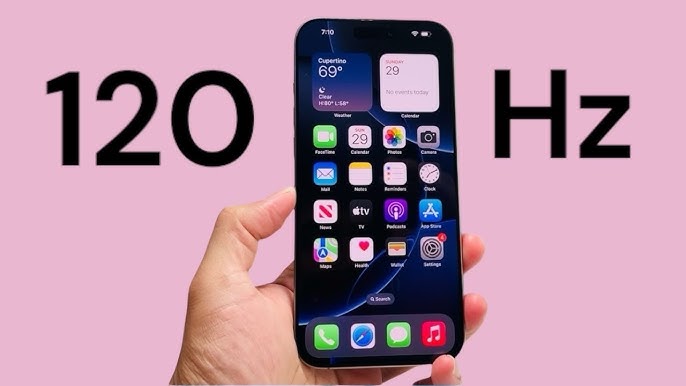
Refresh rate, measured in Hertz (Hz), determines how many times per second the monitor updates the image. Higher refresh rates result in smoother motion and a more responsive gaming experience. Both OLED and QLED monitors are available with high refresh rates, but they achieve them differently.
OLED's fast pixel response times naturally support high refresh rates. Because pixels switch on and off so quickly, OLED panels can easily keep up with refresh rates of 144Hz, 240Hz, and even 360Hz. However, at the very highest refresh rates, OLED panels can sometimes exhibit scaling artifacts or introduce input lag, a complex issue related to image processing and display.
QLED relies on overdrive and other techniques to boost response times and achieve high refresh rates. Overdrive attempts to accelerate pixel transition speed but can sometimes introduce overshoot or inverse ghosting – visible trails behind moving objects. Manufacturers refine their overdrive algorithms to minimize these artifacts.
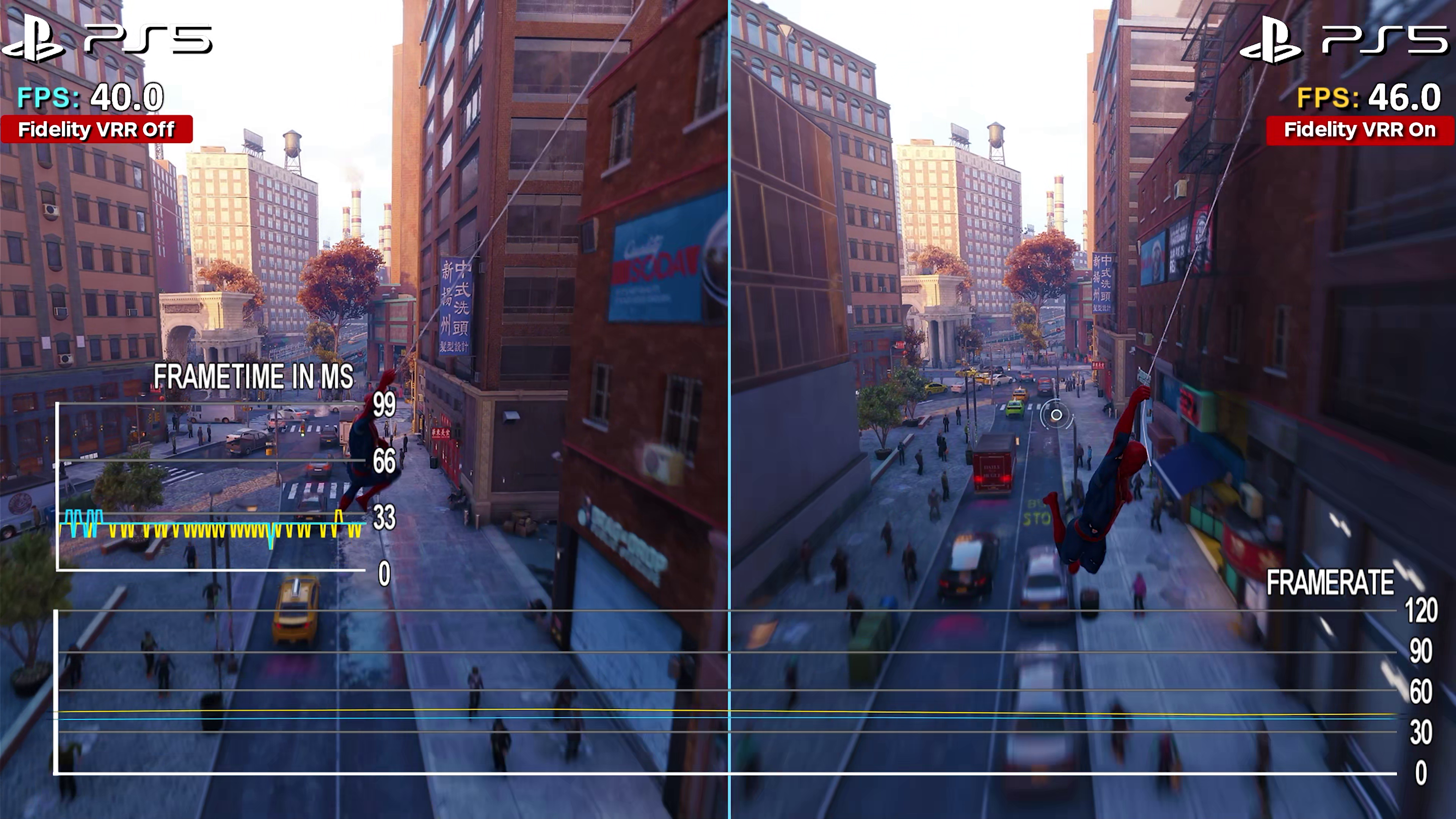
Variable refresh rate (VRR) technologies like NVIDIA G-Sync and AMD FreeSync are crucial for both OLED and QLED monitors. These technologies synchronize the monitor's refresh rate with the graphics card's frame rate, eliminating screen tearing and stuttering. Both OLED and QLED benefit from VRR, but effectiveness can vary depending on implementation and the specific monitor.
2026 Predictions: Advancements to Watch
Looking ahead to 2026, several advancements are likely to impact OLED and QLED gaming monitors. For OLED, I expect to see continued improvements in burn-in mitigation techniques, making the technology even more resilient to static images. We’ll also likely see brighter OLED panels, closing the gap with QLED in terms of peak brightness. More affordable OLED options are also on the horizon, driven by increased production capacity and competition.
For QLED, the focus will be on further refining mini-LED backlighting technology. Mini-LED offers significantly improved contrast and black levels compared to traditional QLED, bringing it closer to OLED performance. We can also expect to see advancements in response times, with manufacturers pushing the boundaries of LCD panel technology. Wider color gamuts, covering a greater percentage of the DCI-P3 color space, are also likely.
I’m anticipating a rise in QD-OLED displays – a hybrid approach that combines the best of both worlds. QD-OLED uses a blue OLED layer combined with quantum dots to create red and green pixels, offering the perfect blacks and fast response times of OLED with the brightness and color volume of QLED. Samsung is already leading the charge in this area.
Beyond OLED and QLED, we might see the emergence of new panel technologies, such as microLED. While still very expensive, microLED offers the potential for even higher brightness, contrast, and longevity than OLED. However, it’s unlikely to be a mainstream option by 2026.
Beyond Refresh Rate: Other Gaming Features
Refresh rate
Panel size and curvature also impact the gaming experience. Larger monitors offer greater immersion, while curved monitors can enhance the sense of depth and envelopment. HDR (High Dynamic Range) support is another key feature. HDR expands the range of colors and contrast, creating a more realistic and vibrant image. However, the quality of HDR implementation varies significantly between monitors.
Port selection is also important. Ensure the monitor has enough HDMI 2.1 ports to connect your gaming console and other devices. DisplayPort is essential for PC gamers, especially those with high-end graphics cards. Ergonomic adjustments, such as height, tilt, and swivel, allow you to customize the monitor for optimal comfort.
OLED monitors generally excel in contrast and black levels, making them ideal for HDR gaming. QLED monitors, with their higher brightness, can also deliver impressive HDR performance. Both technologies offer a range of panel sizes and curvature options, and most gaming monitors include ergonomic adjustments.
Top OLED & QLED Gaming Monitors (2026)
Predicting specific models for 2026 is challenging, but here are some standout contenders based on current trends and manufacturer announcements. These represent the best expected performance in their respective categories.
OLED Gaming Monitors:
LG 48C4 (27-inch, 4K, 138Hz): Building on the success of the C series, the C4 will likely offer improved burn-in mitigation and even faster response times. Its color accuracy and contrast are already exceptional.
Samsung Odyssey OLED G9 (49-inch, 5120x1440, 240Hz): A super ultrawide OLED monitor offering immersive gameplay and a high refresh rate. Expect improved brightness and color volume compared to previous generations.
ASUS ROG Swift OLED PG42UQ (42-inch, 4K, 138Hz): This monitor offers a balance of size, resolution, and refresh rate, with excellent gaming performance and features.
QLED Gaming Monitors:
Samsung Odyssey Neo G9 (49-inch, 5120x1440, 360Hz): The Neo G9 continues to be a top pick for its immersive ultrawide display, high refresh rate, and excellent HDR performance. Expect refinements to its mini-LED backlighting in 2026.
ASUS ROG Strix XG43UQ (43-inch, 4K, 144Hz): This monitor combines a large screen size with high resolution and refresh rate, offering a versatile gaming experience.
MSI MPG Artymis 345CQR (34-inch, 3440x1440, 175Hz): A curved QLED monitor with a high refresh rate and excellent color accuracy, offering a great value for money.
Featured Products

34-inch Quantum Dot OLED display · 0.1ms response time · 165Hz refresh rate
This curved QD-OLED monitor delivers stunning visuals with its wide color gamut and deep blacks, making it an excellent choice for immersive gaming experiences.

32-inch 4K UHD display · 240Hz refresh rate · 1ms response time
The Samsung Odyssey Neo G8 offers an incredibly sharp and fluid gaming experience with its high refresh rate, fast response time, and impressive HDR capabilities.

27-inch QHD OLED display · 240Hz refresh rate · 0.03ms response time
This LG UltraGear OLED monitor provides exceptional motion clarity and vibrant colors, ideal for competitive gamers who demand the fastest response times.

32-inch 4K UHD QD-OLED display · 240Hz refresh rate · 0.03ms response time
The ASUS ROG Swift combines a high-resolution QD-OLED panel with a rapid refresh rate and near-instantaneous response time for a top-tier gaming visual experience.

31.5-inch 4K UHD Quantum Dot OLED display · 240Hz refresh rate · 0.03ms response time
This renewed Acer Predator monitor offers a premium Quantum Dot OLED experience with a high refresh rate and excellent color accuracy, providing a great value.
As an Amazon Associate I earn from qualifying purchases. Prices may vary.
Which Should You Buy? A Quick Guide
The choice between OLED and QLED ultimately depends on your individual needs and priorities. If you’re a competitive gamer who prioritizes speed and responsiveness above all else, OLED is likely the better choice. Its incredibly fast response times and perfect blacks provide a significant advantage in fast-paced games.
If you primarily play games with a lot of HDR content or game in a brightly lit room, QLED might be a better fit. Its higher brightness levels and excellent color volume make it ideal for displaying vibrant and realistic visuals. QLED is also generally more affordable than OLED.
Consider your budget as well. OLED monitors are typically more expensive, so if you’re on a tight budget, QLED offers a compelling alternative. Ultimately, both technologies offer excellent gaming experiences, and the best choice depends on your specific use case and preferences. If you want a blend of both, keep an eye on QD-OLED options.
No comments yet. Be the first to share your thoughts!