

iPhone 16 Pro's '120Hz' Explained
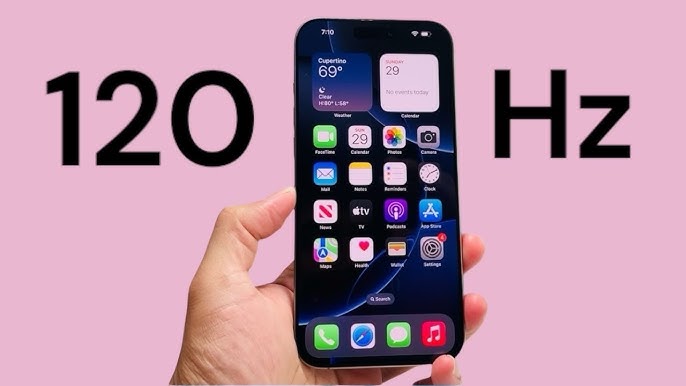
A 120Hz refresh rate on an iPhone makes scrolling, animations, and gaming feel smoother. The screen updates 120 times per second, double the standard 60. However, Apple's ProMotion technology doesn't always run at 120Hz. Andrew Zuo noted on Medium that the advertised '120Hz' isn't constant.
ProMotion dynamically adjusts the refresh rate to balance smoothness and battery life. When content is static, like an email, the rate can drop to 10Hz. This raises questions about whether the lower refresh rate periods diminish the benefit of advertising a '120Hz' display.
ProMotion aims to provide the highest refresh rate for demanding tasks like gaming or scrolling social media. However, it's unclear how often it actually runs at 120Hz. This is important when considering the iPhone 16 Pro, as its core technology is expected to be similar. Knowing this helps determine if the display is a meaningful upgrade.
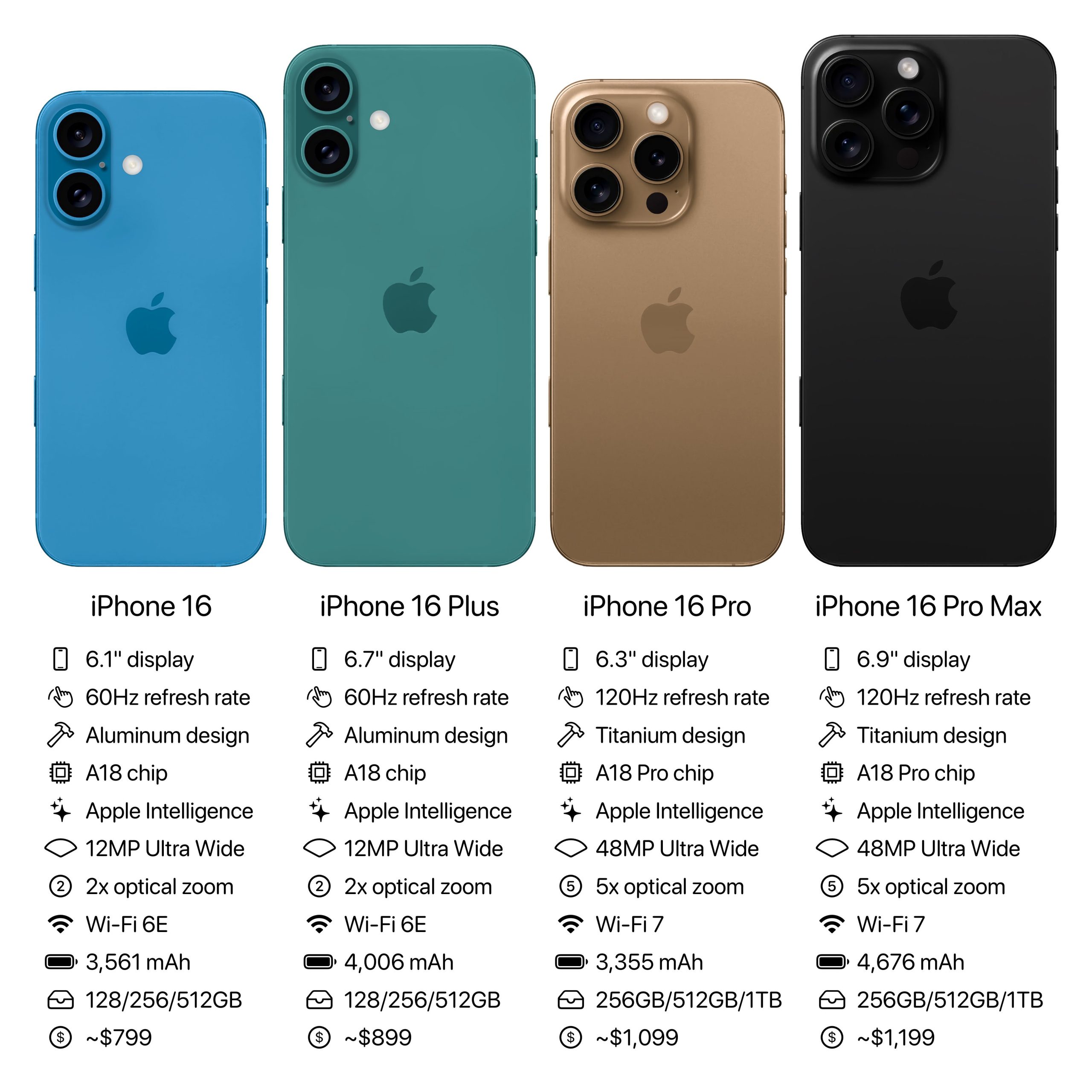
iPhone 15 Pro & Pro Max: Refresh Rate Details
The iPhone 15 Pro and Pro Max use ProMotion, with a variable refresh rate from 1Hz to 120Hz. You'll see 120Hz when scrolling compatible apps, playing supported games, or using dynamic wallpapers. The rate drops to 10Hz for static content like web pages or photos.
On-screen motion and battery level influence refresh rate adjustments. When battery is low, the iPhone prioritizes power saving by lowering the refresh rate. Changes aren't always obvious, but you might notice a difference in smoothness when switching between apps or content.
Some users report the refresh rate not adjusting as expected. Restarting the device or resetting display settings can help. A consistent 120Hz experience isn't guaranteed on iPhone 15 Pro models, as the system balances efficiency and smoothness.
iPhone 16 Pro: What's Actually New?
The iPhone 16 Pro is expected to keep ProMotion and its 1Hz-120Hz variable refresh rate. The issue Andrew Zuo raised—that the display isn't consistently at 120Hz—likely won't be fully resolved. Reports suggest display panel improvements for better power efficiency at higher refresh rates, but ProMotion's core operation is expected to remain the same.
Current information indicates the iPhone 16 Pro will continue to dynamically adjust the refresh rate based on content and battery life. You'll still see periods of lower refresh rates, even during tasks that could benefit from a smoother display. This helps extend battery life, but it's a behavior to be aware of.
Improvements to the display driver or A18 chip could lead to more accurate refresh rate adjustments, potentially making smoothness feel more consistent, even if the time spent at 120Hz doesn't increase much. The expectation is an optimization of the existing ProMotion system, not a complete overhaul.
Gaming Performance: 15 vs 16
Refresh rates significantly impact gaming. Higher rates reduce motion blur and input lag, making games feel more responsive and clearer. The iPhone 15 Pro and Pro Max offer smooth gaming at 60Hz or 120Hz, depending on game optimization and power state. Many games, however, don't consistently maintain frame rates high enough for 120Hz.
The iPhone 16 Pro, with its expected A18 chip, may push higher frame rates in supported games, offering a more noticeable benefit from the 120Hz display, especially in fast-paced action titles. Games optimized for MetalFX Upscaling could also see performance improvements. The difference will likely be most apparent in titles designed for the new hardware.
Games like Genshin Impact and Call of Duty: Mobile benefit from higher refresh rates if the device maintains a stable frame rate. The A18 chip's improved GPU performance should help, but battery life is a factor. The iPhone 16 Pro may offer a slight edge in demanding games, but the experience still depends on game optimization and settings.
iPhone 16 Pro vs. iPhone 15 Pro: Predicted Gaming Performance Comparison (2026)
| Game Title | Max FPS - iPhone 15 Pro | Predicted Max FPS - iPhone 16 Pro | Perceived Smoothness (1-5, 5=Smoothest) | Input Lag |
|---|---|---|---|---|
| Genshin Impact | 58-60 FPS | 65-70 FPS | 4 | Low |
| Call of Duty: Mobile | 60 FPS | Potentially Higher, dependent on optimization | 4 | Low |
| PUBG Mobile | 60 FPS | Improved stability at high settings | 4 | Medium |
| Honkai: Star Rail | 60 FPS | More consistent frame pacing | 4 | Low |
| Asphalt 9: Legends | 60 FPS | Visually smoother experience | 4 | Low |
| Diablo Immortal | 55-60 FPS | Enhanced visual fidelity at higher frame rates | 4 | Medium |
Qualitative comparison based on the article research brief. Confirm current product details in the official docs before making implementation choices.
Enabling & Optimizing 120Hz
undefined setting to force 120Hz, as Apple’s system manages it automatically.
Several settings can indirectly affect the refresh rate. Enabling 'Auto-Brightness' allows the iPhone to adjust screen brightness based on ambient light, which can also influence refresh rate adjustments. Some apps may also have their own settings that affect display performance. Battery Saver mode will significantly limit the time spent at 120Hz, prioritizing power conservation.
If you're experiencing issues with 120Hz, such as stuttering or a lack of smoothness, try restarting your iPhone. The Technomentary YouTube video provides a visual guide to enabling 120Hz and troubleshooting common problems. Ensuring your software is up to date is also crucial, as Apple frequently releases updates that improve display performance and fix bugs.
Battery Life Impact: A Real Concern?
Higher refresh rates inevitably consume more battery life. Running the display at 120Hz requires significantly more power than 60Hz. The extent of the battery drain depends on your usage patterns. Demanding tasks like gaming and video streaming will see a more noticeable impact than simply browsing text-based content. While ProMotion aims to mitigate this by dynamically adjusting the refresh rate, it doesn't eliminate the issue entirely.
Apple claims ProMotion intelligently balances smoothness and battery life, and to some extent, this is true. However, real-world testing shows that enabling 120Hz can reduce battery life by anywhere from 10% to 20%, depending on usage. If battery life is a major concern, you might consider disabling 120Hz or allowing the iPhone to manage it automatically.
Strategies for maximizing battery life while still enjoying a smooth display include reducing screen brightness, limiting background app activity, and using Low Power Mode when appropriate. Being mindful of the apps you use and their impact on battery life can also help. The iPhone 16 Pro’s potential improvements to display efficiency may offer a slight boost, but it’s unlikely to be a game-changer.
Beyond Refresh Rate: Display Improvements
While refresh rate is a key aspect of display quality, it’s not the only one. The iPhone 16 Pro is expected to feature improvements in other areas, such as peak brightness, contrast ratio, and color accuracy. These enhancements can contribute to a more vibrant and immersive viewing experience, even at a standard 60Hz refresh rate.
HDR support is also likely to be improved, allowing for a wider range of colors and greater dynamic range in compatible content. This means brighter highlights and deeper blacks, resulting in a more realistic and detailed image. Apple has consistently pushed the boundaries of display technology, and the iPhone 16 Pro is expected to continue this trend.
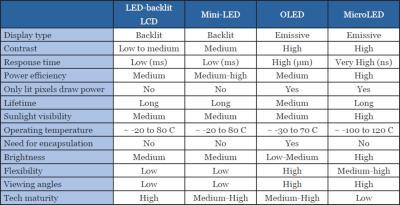
Potential new display technologies, such as micro-LED, have been rumored, but are unlikely to appear in the iPhone 16 Pro. However, improvements to the existing OLED panel, such as increased efficiency and reduced burn-in, are more plausible. These incremental improvements, combined with a refined ProMotion system, could make a noticeable difference in overall display quality.
Featured Products
![Spigen Tempered Glass Screen Protector [GlasTR EZ FIT] designed for iPhone 15 Pro [Case Friendly] - 2 Pack](https://m.media-amazon.com/images/I/71dDhHnvNEL._AC_UY654_QL65_.jpg)
Specifically designed for iPhone 15 Pro · Case-friendly fit · Includes 2 tempered glass screen protectors
This screen protector maintains the clarity and responsiveness of your iPhone 15 Pro's display, crucial for appreciating its refresh rate, while offering essential protection.

Designed for iPhone 16 Pro · Slim and scratch-resistant tempered glass · Includes an easy align frame for bubble-free application
This screen protector ensures your iPhone 16 Pro's display remains clear and responsive, vital for experiencing its refresh rate, with added scratch resistance and easy installation.

Anti-blue light tempered glass · Compatible with iPhone 15 Pro Max/iPhone 15 Plus · Easy to install and bubble-free application
This screen protector offers eye protection by filtering blue light while ensuring your iPhone 15 Pro Max or 15 Plus display remains clear and responsive for optimal refresh rate performance.

Military-grade shatterproof tempered glass · 9H hardness for enhanced durability · Full coverage with an ultra-fit tray for easy installation
This 3-pack of screen protectors provides robust protection for your iPhone 16 Pro's display, ensuring its clarity and touch sensitivity are preserved to fully appreciate its refresh rate capabilities.
As an Amazon Associate I earn from qualifying purchases. Prices may vary.
Refresh Rate Myths Debunked
A common misconception is that a higher refresh rate automatically equates to a better experience. While 120Hz can be smoother, it's not always necessary or even noticeable, especially for tasks like reading or browsing static content. The benefits are most apparent in fast-paced games and scrolling through dynamic interfaces.
Another myth is that 120Hz is always preferable, regardless of battery life. For many users, the trade-off between smoothness and battery life isn't worth it. ProMotion helps to mitigate this, but it's still a factor to consider. Finally, the placebo effect can play a role; some people may perceive a difference even when there isn't one. A balanced perspective is crucial.
No comments yet. Be the first to share your thoughts!