

VRR and the end of screen tearing
For years, console gamers have dealt with visual hiccups – screen tearing and stuttering – that break immersion. These issues arise when the console’s frame rate doesn’t perfectly align with the TV’s refresh rate. It’s a problem that’s existed since the early days of console gaming, and for a long time, it was just something we learned to live with. But things are changing.
VRR and ALLM change how consoles interact with your TV. Instead of just improving the picture, these features reduce input lag and sync the screen's refresh rate to the game's actual output. This makes movement feel direct and removes the heavy sensation often found in older console setups.
By 2026, we're seeing wider adoption and refinement of these technologies. More games are being designed with VRR and ALLM in mind, and TVs are increasingly incorporating support for these standards. This isn't a niche feature anymore; it's becoming an expectation for a premium gaming setup. The impact is noticeable, and the trend is clear: VRR and ALLM are here to stay, and they're only getting better.
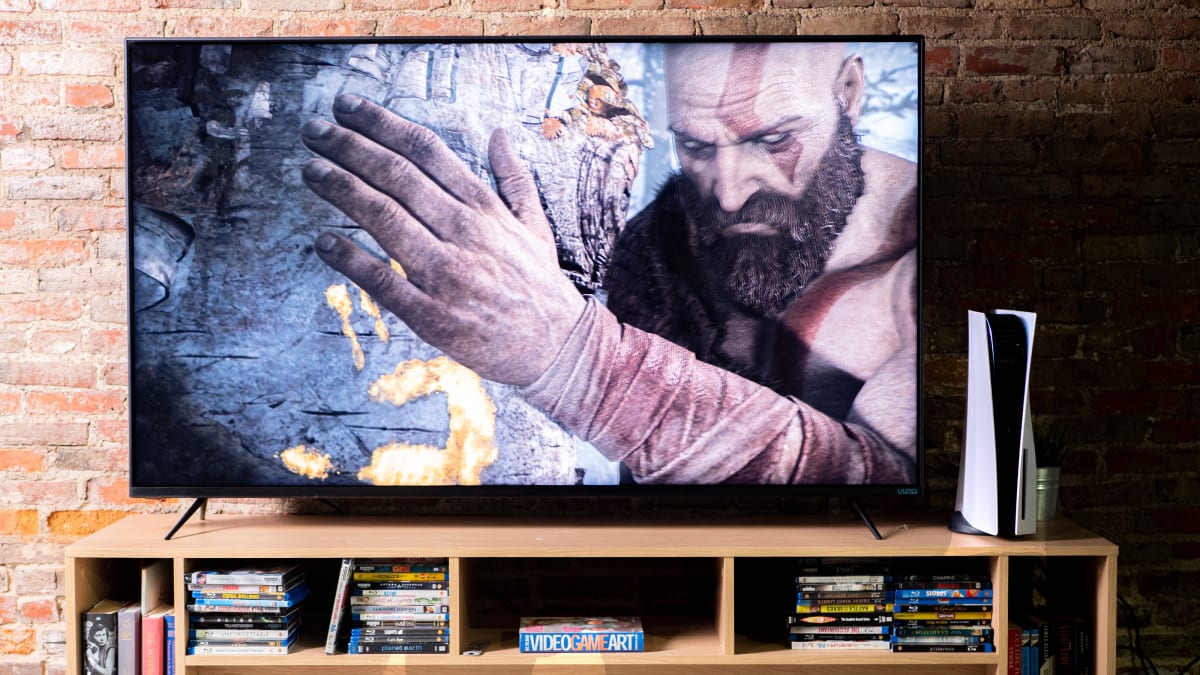
Syncing frames to the screen
Traditional displays operate with a fixed refresh rate, typically 60Hz. This means the screen updates 60 times per second. When a console outputs a frame rate that doesn’t perfectly match this refresh rate – say, 45 frames per second – the display has to make a choice: display a frame twice (causing stutter) or discard a frame (causing tearing). Neither is ideal.
VRR solves this problem by dynamically adjusting the display’s refresh rate to match the game’s frame rate. If the game is running at 45fps, the TV adjusts to 45Hz. If it fluctuates between 50 and 60fps, the TV follows suit, constantly adapting. This eliminates screen tearing and significantly reduces stuttering, resulting in a much smoother visual experience. It’s a huge step forward from the fixed refresh rate limitations of older displays.
There are a few different VRR standards out there. AMD FreeSync and NVIDIA G-Sync are the most well-known, originally developed for PC gaming. FreeSync is an open standard, generally less expensive to implement, while G-Sync requires proprietary hardware. While these standards originated on the PC side, their principles are directly applicable to consoles, and we’re seeing increasing compatibility. The key is that the console, game, and TV all support a compatible VRR standard.
The automatic game mode handshake
Auto Low Latency Mode (ALLM) is a feature that automatically puts your TV into its 'game mode' when it detects a connected console. Game mode disables many of the image processing features that TVs use to enhance picture quality – features that, while great for movies, introduce significant input lag. Input lag is the delay between your button press on the controller and the action happening on screen.
For competitive gaming, low input lag is critical. Even a small delay can be the difference between winning and losing. ALLM streamlines this process, so you don't have to manually adjust your TV settings every time you switch between gaming and watching other content. It's a simple but incredibly effective feature.
ALLM works in tandem with VRR to provide a complete, responsive gaming experience. VRR eliminates visual artifacts, while ALLM ensures your inputs are registered with minimal delay. However, it’s worth noting that ALLM relies on compatibility. Older TVs might not support it, and even some newer TVs may have implementation issues. It's important to check your TV's specifications and ensure it supports ALLM before relying on it.
Console VRR & ALLM: A Current Status
Both the PlayStation 5 and Xbox Series X/S support VRR and ALLM, though the implementation differs slightly. The PS5 supports HDMI 2.1 VRR, while the Xbox Series X/S also supports HDMI 2.1 VRR, and has broader game support at launch. Both consoles automatically detect and switch to game mode when ALLM is supported by the TV.
Game support is a crucial factor. Some games natively support VRR and ALLM, meaning the features are built into the game’s code. Others rely on the console-level implementation, where the console applies VRR to all games regardless of native support. Native support generally provides a more optimized experience, but even console-level implementation offers noticeable improvements. As of late 2023, a growing number of titles are adding native VRR support through patches.
There have been some reported issues with current implementations. Some users have experienced flickering or black screens when VRR is enabled, particularly with certain TV models. These issues often stem from compatibility problems or firmware bugs, and are usually addressed through updates. XOTICPC.com currently recommends a refresh rate of 144Hz for optimal gaming performance, but this depends heavily on the game and your display capabilities.
PS5 vs. Xbox Series X/S: VRR and ALLM Support (2026)
| Feature | PS5 Support | Xbox Series X/S Support | Notes |
|---|---|---|---|
| Variable Refresh Rate (VRR) | Supported via HDMI 2.1 | Supported via HDMI 2.1 | Both consoles leverage HDMI 2.1 for VRR functionality, reducing screen tearing and stuttering when paired with compatible displays. |
| ALLM (Auto Low Latency Mode) | Supported via HDMI 2.1 | Supported via HDMI 2.1 | ALLM automatically sets the console to game mode on compatible TVs, minimizing input lag. |
| VRR Implementation | Offers adaptive sync support, dynamically adjusting refresh rate to match game output. | Offers adaptive sync support, dynamically adjusting refresh rate to match game output. | The effectiveness of VRR can vary depending on the game and display’s implementation. |
| Game Compatibility (VRR) | VRR support is game-dependent; many titles have been updated to include VRR. | VRR support is game-dependent; many titles have been updated to include VRR. | Compatibility continues to expand with ongoing game patches and updates. |
| Supported VRR Standards | Supports HDMI Forum VRR. | Supports HDMI Forum VRR. | Both consoles adhere to the HDMI Forum’s VRR standard for interoperability. |
| 120Hz Output with VRR | Capable of 120Hz output in supported games when paired with a 120Hz VRR display. | Capable of 120Hz output in supported games when paired with a 120Hz VRR display. | Achieving 120Hz often requires performance mode in games and a compatible display. |
| ALLM and Display Response | ALLM reduces latency by signaling the TV to switch to its fastest response time. | ALLM reduces latency by signaling the TV to switch to its fastest response time. | The impact of ALLM is most noticeable on displays with significant input lag. |
Illustrative comparison based on the article research brief. Verify current pricing, limits, and product details in the official docs before relying on it.
Beyond 60Hz: Refresh Rate Sweet Spots
While 60Hz was the standard for console gaming for a long time, higher refresh rates – 120Hz, 144Hz, and even 240Hz – offer significant benefits. These higher rates contribute to smoother motion, reduced blur, and a more responsive feel. The difference is particularly noticeable in fast-paced action games where quick reactions are essential. It truly can elevate the gaming experience.
However, there are diminishing returns. While the jump from 60Hz to 120Hz or 144Hz is substantial, the difference between 144Hz and 240Hz is less pronounced, especially on consoles. Current console hardware has limitations, and consistently hitting frame rates above 120fps is often challenging. Therefore, 120Hz or 144Hz generally represents the sweet spot for console gaming.
You need an HDMI 2.1 cable and port to hit these speeds. Older HDMI 2.0 ports don't have the bandwidth for 4K at 120Hz. While some marketing suggests higher rates reduce eye strain, the real benefit for consoles is the reduction in motion blur during fast camera movements.
Featured Products
![Silkland Certified HDMI 2.1 Cable, [4K@240Hz 144Hz 120Hz, 8K@60Hz] 1440P Ultra High Speed HDMI Cable 48Gbps (Upgrade Braided), HDR10+, eARC, HDCP 2.3, Compatible for Xbox/PS5/PS4/Roku TV-6.6ft Global Recycled Standard](https://m.media-amazon.com/images/I/71VZdEiDrFL._AC_UY654_QL65_.jpg)
Supports 4K@240Hz, 8K@60Hz · 48Gbps bandwidth · HDR10+, eARC, HDCP 2.3 support
This certified HDMI 2.1 cable is essential for unlocking the full potential of Variable Refresh Rate (VRR) and Auto Low Latency Mode (ALLM) for a smoother, more responsive console gaming experience in 2026.

Supports 8K@60Hz, 4K@120Hz · 48Gbps bandwidth · HDR10, HDCP 2.2 & 2.3 support
This certified HDMI 2.1 cable is essential for unlocking the full potential of Variable Refresh Rate (VRR) and Auto Low Latency Mode (ALLM) for a smoother, more responsive console gaming experience in 2026.

Supports 4K Ultra High Speed, 8K@60Hz · 48Gbps bandwidth · Dolby Vision HDR, 10K streaming support
This certified HDMI 2.1 cable is essential for unlocking the full potential of Variable Refresh Rate (VRR) and Auto Low Latency Mode (ALLM) for a smoother, more responsive console gaming experience in 2026.

Supports 4K@60Hz · 18Gbps bandwidth · HDMI 2.0 standard
This certified HDMI 2.1 cable is essential for unlocking the full potential of Variable Refresh Rate (VRR) and Auto Low Latency Mode (ALLM) for a smoother, more responsive console gaming experience in 2026.

Supports 8K, 4K@120Hz · 48Gbps bandwidth · HDR10, VRR, Dolby Vision, eARC support
This certified HDMI 2.1 cable is essential for unlocking the full potential of Variable Refresh Rate (VRR) and Auto Low Latency Mode (ALLM) for a smoother, more responsive console gaming experience in 2026.
As an Amazon Associate I earn from qualifying purchases. Prices may vary.
The 2026 outlook
Looking ahead to 2026, we can expect further advancements in VRR technology. Improved algorithms will likely reduce input lag even further and address current issues like flickering. Wider compatibility across TVs and consoles is also a safe bet. We'll probably see more sophisticated VRR implementations that dynamically adjust settings based on the game being played.
Game developers will continue to optimize their games to take full advantage of VRR and ALLM. This might involve more precise frame rate control, better synchronization between game logic and rendering, and features specifically designed to enhance the VRR experience. It's likely that future games will treat VRR as a core requirement, rather than an optional feature.
New display technologies like Mini-LED and OLED have the potential to significantly enhance the VRR experience. These technologies offer superior contrast, black levels, and response times, which complement VRR's benefits. Furthermore, the rise of cloud gaming could also leverage VRR, providing a smoother and more responsive experience for gamers streaming games over the internet.
No comments yet. Be the first to share your thoughts!