

The 480Hz reality check
For years, we’ve chased higher and higher refresh rates in gaming monitors. Now, 480Hz displays are actually arriving. But is this a genuine leap forward, or just a number for marketing departments to throw around? A monitor’s refresh rate, quite simply, is how many times per second the image on the screen is updated, measured in Hertz (Hz). A 60Hz monitor updates 60 times a second, a 144Hz monitor 144 times, and so on.
Why does this matter? Higher refresh rates translate to smoother motion, reduced motion blur, and a more responsive feel – all critical for competitive gaming. The difference between 60Hz and 144Hz is immediately noticeable to most people. But the jump from 144Hz to 240Hz, and now to 480Hz, feels increasingly incremental. Many people question if the human eye can even perceive the difference beyond a certain point.
I think the biggest hurdle isn't the display itself, but the hardware needed to drive it. Achieving a consistent 480 frames per second (fps) in demanding games requires serious processing power. There's a lot of skepticism, and rightfully so. It’s not a simple plug-and-play upgrade. You’re not just buying a monitor; you're entering a whole new tier of PC hardware requirements, and a hefty price tag.
This isn’t to say 480Hz is a gimmick, but it’s crucial to understand what you’re getting into. It’s a technology aimed at a very specific audience – those who demand the absolute lowest input lag and the clearest motion clarity possible, and have the budget to achieve it.
Hardware you actually need
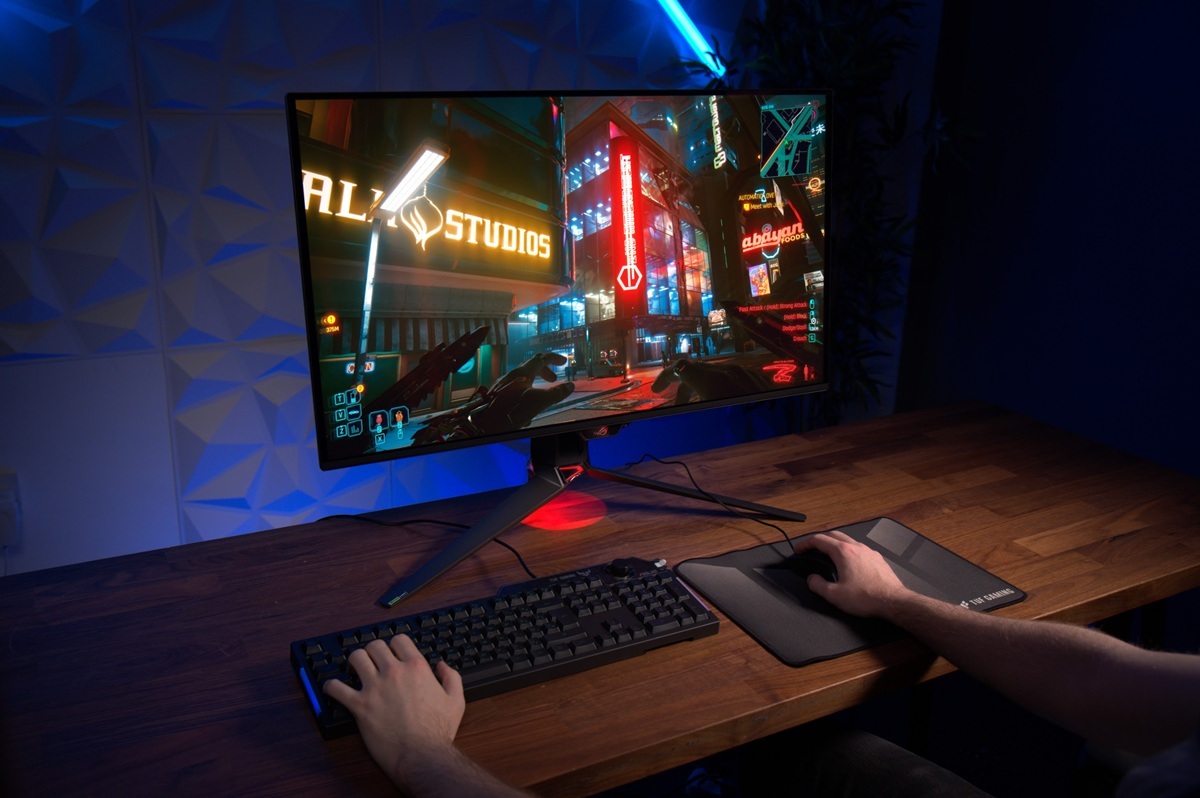
Let's be blunt: a 480Hz monitor is only as good as the PC powering it. You can’t just connect it to your existing gaming rig and expect miracles. The most significant demand is, unsurprisingly, the graphics card. To consistently hit 480fps in modern games, even at 1080p resolution, you’ll need a top-of-the-line GPU. Currently, that means something along the lines of an NVIDIA GeForce RTX 4090 or an AMD Radeon RX 7900 XTX – and even those may struggle in the most demanding titles.
The CPU is just as important. A weak processor stops the GPU from hitting its ceiling. I recommend an Intel Core i9-14900K or an AMD Ryzen 9 7950X3D to keep frames steady. You also need 32GB of DDR5 RAM—aim for 6000MHz to avoid stutters.
Perhaps the most critical component, beyond the GPU, is DisplayPort 2.1. This latest display standard provides the bandwidth necessary to handle 480Hz at high resolutions. While some monitors might technically support 480Hz over DisplayPort 1.4 with Display Stream Compression (DSC), DisplayPort 2.1 offers a cleaner, more reliable signal. Older standards simply can’t deliver the necessary data throughput without compromising image quality.
And let's not forget the cost. Building a PC capable of consistently driving 480fps is expensive. You’re looking at a system costing well over $3000, and potentially closer to $4000 or $5000 depending on your other requirements. This is a premium experience, and the price reflects that. It’s a significant investment, and one you should carefully consider.
Windows display settings
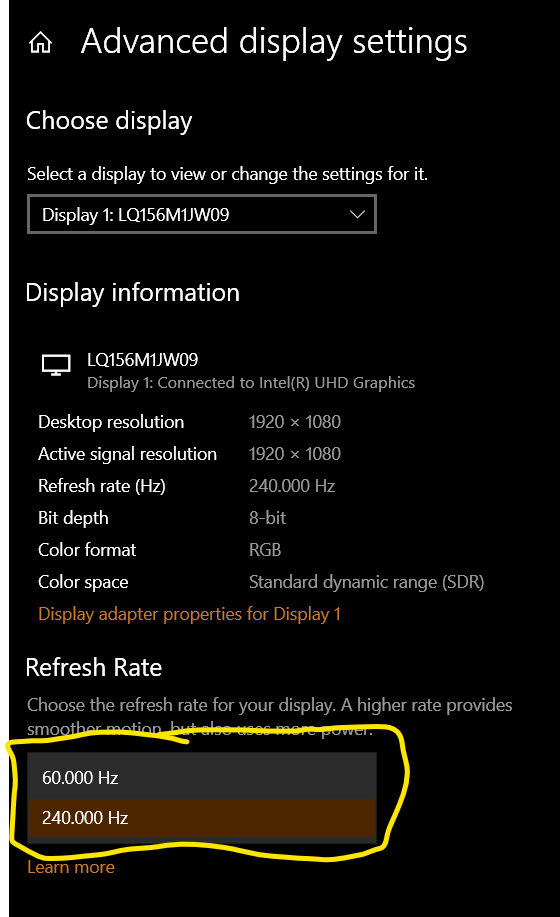
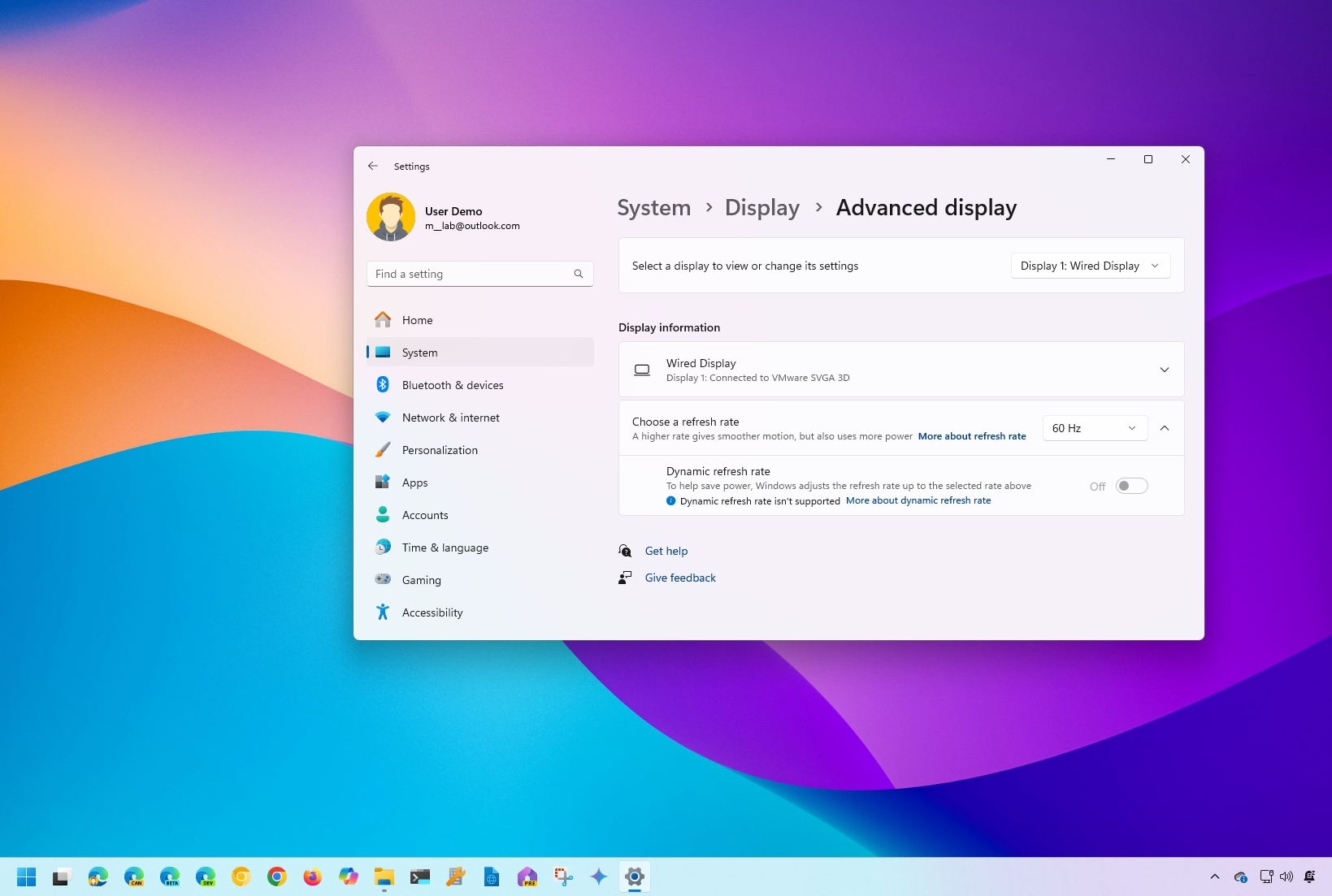
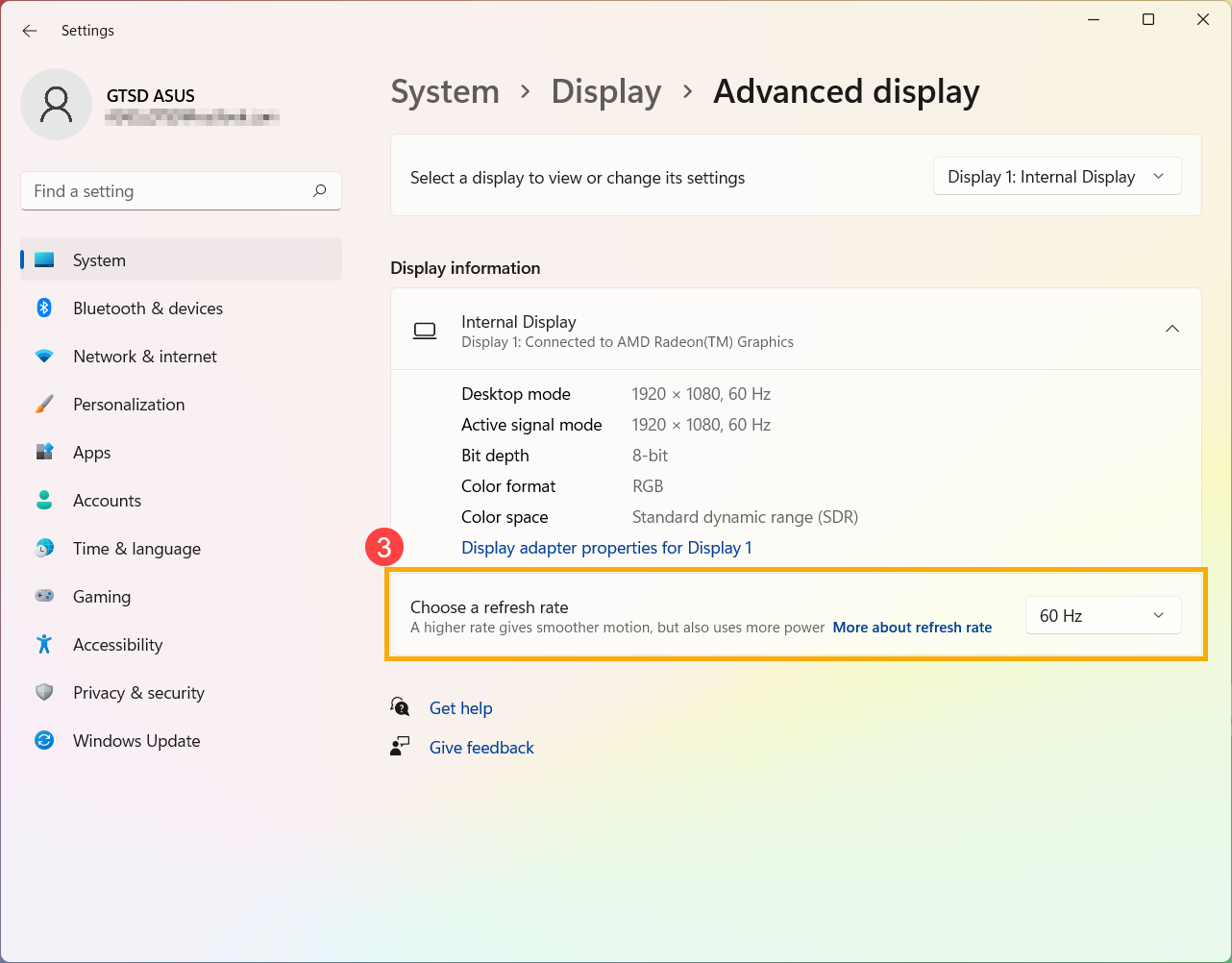
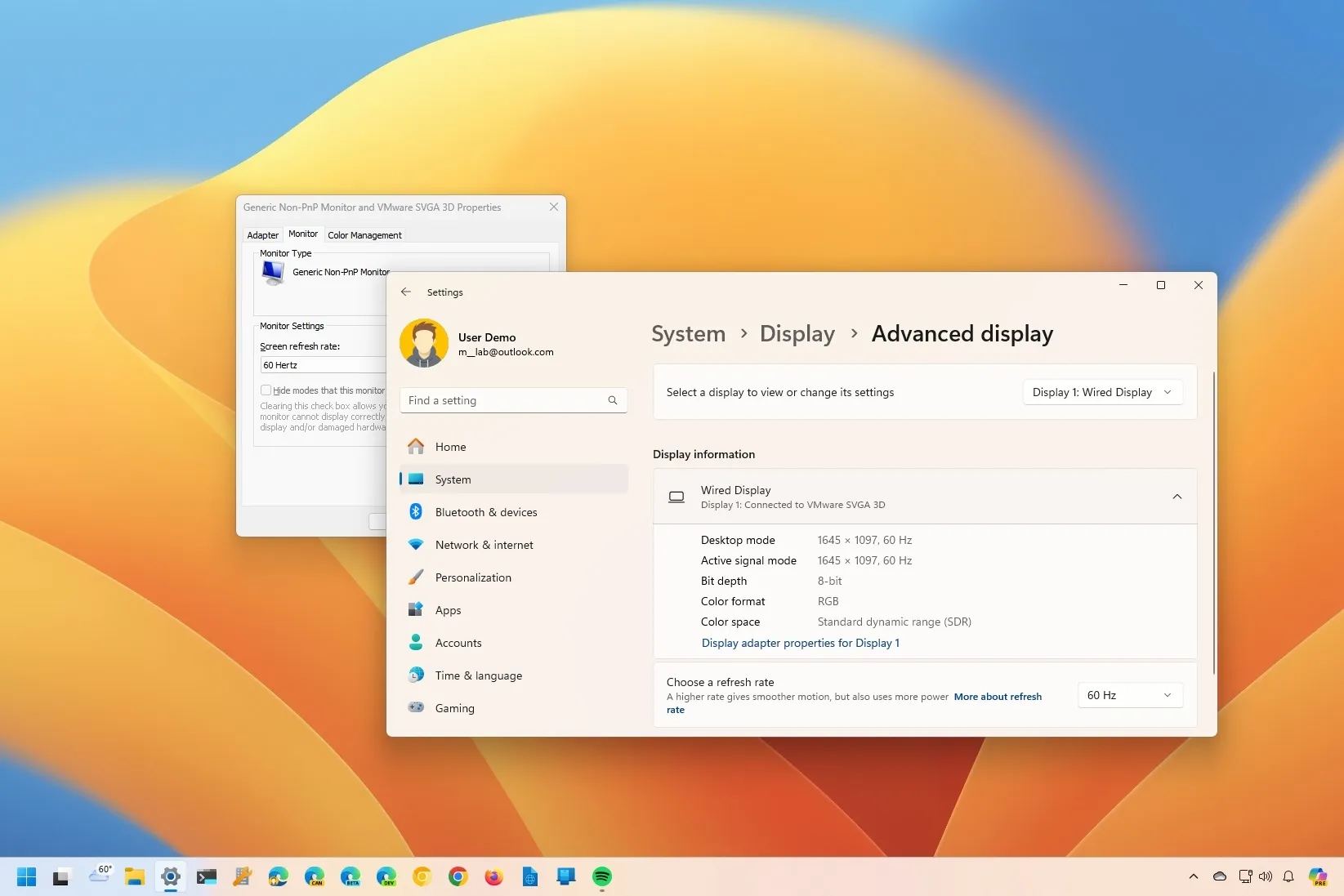
To set the rate in Windows, right-click the desktop and choose Display settings. Pick your monitor, then click Advanced display. Microsoft's own documentation confirms this is the standard path for Windows 11 users.
In the "Choose a refresh rate’ dropdown menu, you should see the 480Hz option. If it’s not there, ensure your graphics drivers are up to date. Outdated drivers are a common cause of this issue. Sometimes, a restart is also necessary. If the 480Hz option still doesn"t appear, double-check your DisplayPort connection and ensure your GPU supports DisplayPort 2.1.
Troubleshooting can be tricky. Some users report flickering or a black screen after selecting 480Hz. This often indicates a compatibility issue or an unstable signal. Try lowering the resolution or disabling VRR (discussed later) to see if that resolves the problem. Older operating systems might also struggle with 480Hz, so ensuring you’re running the latest version of Windows is important.
Having the latest graphics drivers is paramount. NVIDIA and AMD regularly release driver updates that improve compatibility and performance. These updates often include fixes for issues related to high refresh rate monitors. A stable and updated driver is the foundation for a smooth 480Hz experience.
G-Sync and FreeSync
Even with a powerful PC, your frame rate won’t always be a perfectly consistent 480fps. Variable Refresh Rate (VRR) technology is crucial for mitigating the effects of frame rate fluctuations. VRR synchronizes the monitor’s refresh rate with the GPU’s frame output, eliminating screen tearing and reducing stuttering. Without VRR, you’ll likely experience visual artifacts, even with a high refresh rate.
There are two main VRR technologies: NVIDIA G-Sync and AMD FreeSync. G-Sync requires a dedicated hardware module within the monitor, making G-Sync monitors generally more expensive. FreeSync, on the other hand, is an open standard and doesn’t require a hardware module, resulting in more affordable options. However, NVIDIA GPUs can now also support Adaptive Sync, which is essentially a rebranded version of FreeSync.
Match your monitor to your GPU. NVIDIA cards prefer G-Sync or Adaptive Sync, while AMD cards are built for FreeSync. You can mix them, but you might lose some sync range. Even with these features on, you still need the raw power to stay near 480fps or the image will feel sluggish.
Testing Your Setup: Confirming 480Hz
Just because you’ve selected 480Hz in the OSD and Windows doesn’t guarantee the monitor is actually running at that refresh rate. It’s important to verify. Many games have built-in refresh rate counters that display the current frame rate and refresh rate. Look for these options in the game’s settings menu.
For more accurate measurements, I recommend using third-party tools like CapFrameX or NVIDIA FrameView. These tools provide detailed performance data, including frame times, frame rates, and refresh rates. They can help you identify any inconsistencies or issues. Interpreting the results can be tricky, so be sure to consult the tool’s documentation.
Test your setup with a variety of games and settings. Different games will stress your system differently, and some settings might impact performance. It’s important to ensure that you can consistently achieve 480fps in the games you play most often. Don't rely on a single benchmark; a thorough test suite is crucial.
Beyond the Hype: Is 480Hz Worth It?
The question remains: is 480Hz worth the significant investment? The answer, unfortunately, is it depends. The primary beneficiaries of this technology are competitive esports players, particularly those in fast-paced games like Counter-Strike 2 or Valorant. The reduced input lag and increased clarity can provide a competitive edge.
For casual gamers, the benefits are far less pronounced. The difference between 240Hz and 480Hz is much less noticeable than the difference between 60Hz and 144Hz. Other factors, such as resolution, graphics settings, and input lag, are often more important for overall gaming experience. The diminishing returns are real.
It’s easy to get caught up in the numbers game, but remember that a high refresh rate isn’t a magic bullet. A stunning visual experience requires a combination of factors, and a 480Hz monitor won’t compensate for a poorly optimized game or a weak PC. You could be better served investing in a higher-resolution monitor, a more powerful GPU, or a better sound system.
Ultimately, 480Hz is a niche technology aimed at a specific audience. It’s a remarkable achievement, but it’s not a necessity for most gamers. Consider your budget, your gaming habits, and your priorities before taking the plunge. It’s a substantial investment, and it’s important to make an informed decision.
Testing Games
- Cyberpunk 2077 - Known for its demanding ray tracing and detailed environments, providing a good stress test for high refresh rates.
- Microsoft Flight Simulator - A visually complex simulator that pushes graphics cards and CPUs, allowing you to observe refresh rate stability during intricate scenery.
- Overwatch 2 - A fast-paced hero shooter where high refresh rates significantly improve responsiveness and clarity of motion.
- Apex Legends - Another popular battle royale title, Apex Legends benefits greatly from high refresh rates due to its quick movements and competitive gameplay.
- Call of Duty: Modern Warfare III - A graphically intensive first-person shooter with fast action, ideal for evaluating the smoothness of a 480Hz display.
- Dota 2 - A MOBA with complex team fights and numerous visual effects, making it a good test for consistent frame delivery at high refresh rates.
- Forza Motorsport - Provides a visually stunning and fast-paced racing experience, allowing for evaluation of motion clarity at high speeds.
No comments yet. Be the first to share your thoughts!